If you're searching for how to automate print on demand business operations, you're probably feeling the same bottleneck every serious POD seller hits: design takes hours, mockups take longer, listings get duplicated across channels, and fulfillment/admin work grows faster than revenue.
This guide shows how to automate print on demand business workflows end-to-end with AI—so your output scales without hiring a full team.
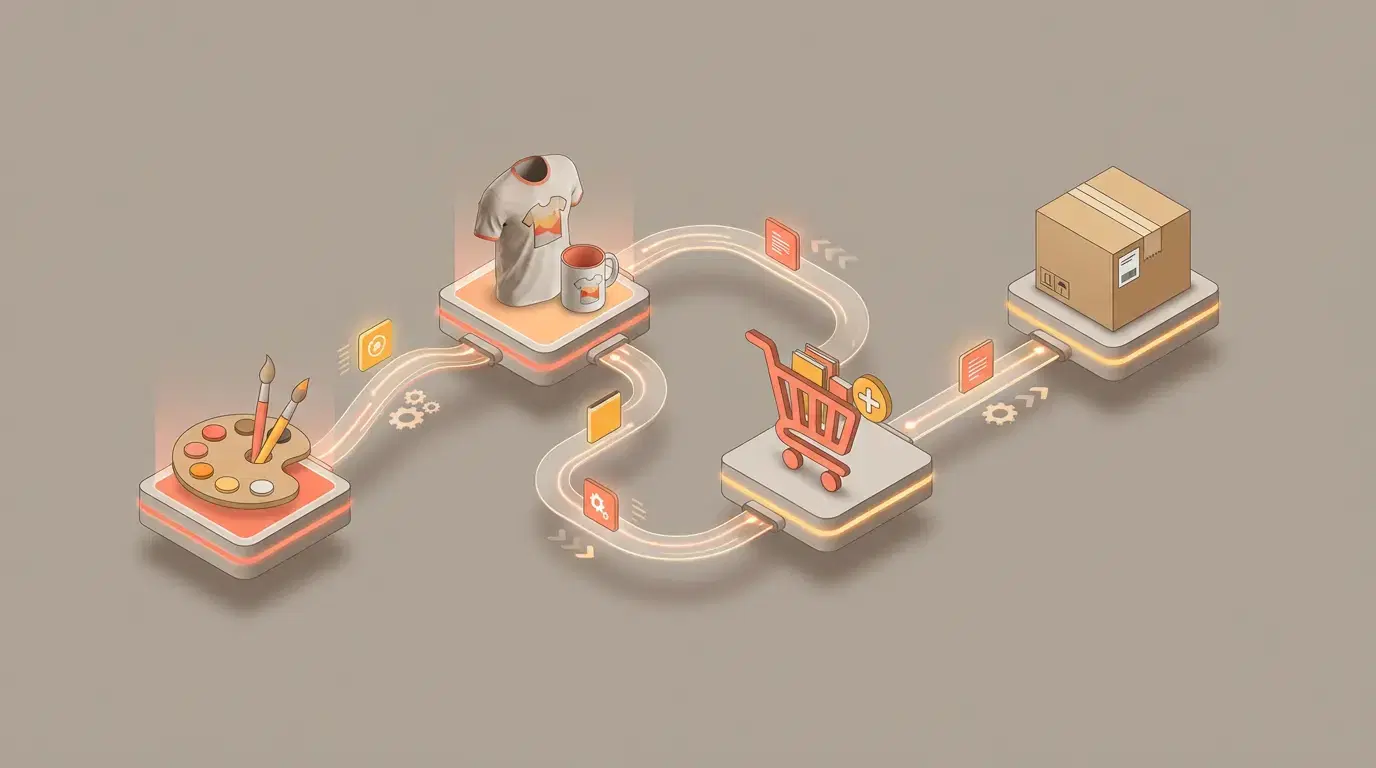
What does it mean to automate print on demand business operations?
To automate print on demand business operations means using software (increasingly AI-driven) to handle repeatable tasks across your POD pipeline:
- Research: trend discovery + niche validation
- Create: design generation + edits + print-ready exports
- Merchandise: mockups + media variants (static + video)
- Publish: SEO copy + attributes + multi-platform listing
- Fulfill: routing orders to providers + status updates
- Retain: email/SMS flows + remarketing + content recycling
You're not automating "taste." You're automating the busywork that slows down execution.
Why automation matters in POD (the 40-hour trap)
POD is a leverage business only if your workflow is leverage-based.
- When you do everything manually, each new product adds more time.
- When you automate, each new product adds mostly ideas—not admin.
Market momentum matters too. According to Precedence Research, the POD market is projected to expand rapidly through 2034. In a growing market, the sellers who move fastest and iterate best often win disproportionate distribution.
The automation stack: what you should automate first
If you're starting from scratch, don't automate everything at once. Automate in the order that unlocks more launches per week.
1) Automate design creation (but keep human curation)
The goal isn't "infinite designs." The goal is faster testing and faster iteration.
- Generate concepts quickly
- Curate what fits your brand
- Make small edits so the output looks intentional
If you use Vaybel, start with:
- AI Design Generator — generate designs and export print-ready assets.
2) Automate mockups (lifestyle + virtual models)
Mockups are the conversion layer. They're also one of the biggest time sinks.
Use an AI mockup system to generate:
- Lifestyle scenes
- Virtual model shots matched to your audience
- Flat lays / closeups
- (Optionally) simple video mockups
Vaybel feature:
3) Automate listing creation per platform (don't copy/paste)
Each platform rewards different signals:
- Etsy: keyword relevance + listing quality + media
- TikTok Shop: content-native presentation + trend alignment
- Shopify: SEO + conversion rate optimization + email flows
A multi-channel workflow should output platform-specific titles/descriptions/tags—without you rewriting everything.
Vaybel feature:
4) Automate fulfillment routing + provider sync
If fulfillment isn't automated, you'll hit an admin ceiling.
Most sellers use a provider like:
Automation here looks like:
- Product sync to the provider
- Order routing without manual re-entry
- Tracking updates
5) Automate lifecycle marketing (email + content + retargeting)
If you don't automate marketing, you'll constantly be "launching" but never compounding.
Start with:
- Welcome flow
- Abandoned cart flow
- Post-purchase flow
- Winback flow
Tools like Klaviyo are common for this.
The end-to-end AI workflow (what "fully automated" actually looks like)
Here's a realistic "mostly automated" loop you can implement.
Step 1 — Discover a trend
Use trend tooling (or manual research) to identify a theme you can credibly sell.
Vaybel feature:
Step 2 — Generate designs + variants
Create 10 designs fast. Keep 2. Improve 1.
That's the real advantage: speed + taste.
Step 3 — Create mockup sets
Generate at least:
- 1 hero lifestyle image
- 1 closeup/detail
- 1 model shot (for apparel)
- 1 alternative scene
Step 4 — Generate listings for each channel
Do not reuse the same formatting everywhere.
- Etsy wants structured keywords.
- TikTok wants native language + content pairing.
- Shopify wants depth and clarity.
Step 5 — Publish everywhere you sell
If you're multi-channel, publishing should be a checkbox list—not a day of uploads.
Vaybel solutions:
Step 6 — Fulfillment sync + order routing
Automate the handoff so you don't become customer support.
Step 7 — Measure and iterate
Track:
- CTR (mockups + titles)
- Conversion rate (listing quality + price)
- Refunds/returns (quality expectations)
- Platform mix (where margin is best)
Vaybel feature:
ROI math: what automation is worth
Automation ROI is usually not subtle.
If you save 25 hours/week and value your time at $30/hour:
- 25 × 30 = $750/week
- $750 × 4.3 = $3,225/month
Even if you spend $79–$250/month on tools, you're buying back time to:
- launch more products,
- respond faster to trends,
- and improve winners.
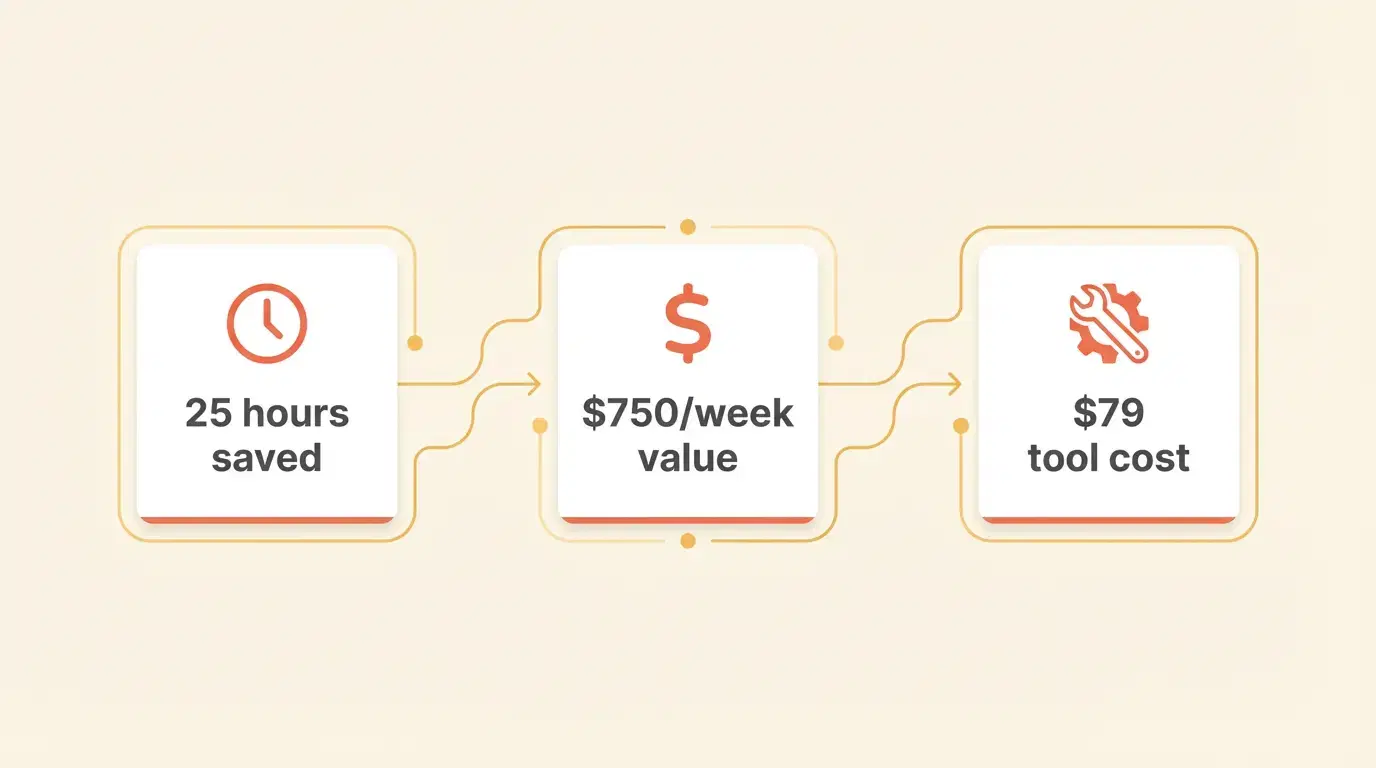
Try our POD Profit Calculator to estimate your potential savings.
Automation tools by budget (quick guide)
| Budget tier | Monthly cost | What to automate first | Best for |
|---|---|---|---|
| Starter | $0–$100 | mockups + basic listing help | new sellers testing demand |
| Growth | $100–$250 | design + mockups + multi-channel listing | sellers launching weekly |
| Scale | $250–$500 | full workflow + analytics + marketing | 6-figure shops |
| Enterprise | $500+ | custom ops + APIs + team workflows | agencies / 7-figure ops |
See: Pricing
The 90-day implementation plan (realistic rollout)
This is the "do it once, benefit forever" plan.
Days 1–30: Foundation (12–16 hours)
- Pick 1–2 niches
- Build a prompt + style library
- Set brand rules (colors, tone, layout)
- Connect fulfillment provider
- Define your listing templates
Days 31–60: Automation (8–12 hours)
- Automate mockup generation
- Automate listing generation per platform
- Build publishing checklist
- Set QA standards (placement, readability, realism)
Days 61–90: Scale (4–9 hours)
- Add email flows
- Add retargeting audiences
- Add content batching (reuse mockups into short-form)
- Create "winner expansion" playbooks
If you want social content automation too, pair listings with:
Common mistakes (and how to avoid them)
Mistake 1: Automating a broken process
Fix your process first, then automate it.
Mistake 2: Using raw AI output with no editing
Curation and editing are the moat.
Mistake 3: Copy/pasting listings across platforms
You'll underperform everywhere.
Mistake 4: Not having a QA checklist
Automated doesn't mean unchecked.
Mistake 5: Ignoring compliance and copyright
Avoid obvious IP prompts and keep your designs original.
FAQ
Can you automate an entire POD business?
Yes—80–90% of POD operations can be automated using AI tools: design generation, mockups, listing optimization, publishing, fulfillment routing, and lifecycle marketing. You still need human oversight for curation, strategy, and edge-case support.
What's the fastest way to automate print on demand business workflows?
Start with mockups and listings (biggest time sinks), then add trend discovery and fulfillment routing. The fastest wins come from turning "launching" into a repeatable checklist.
Do I need to sell on multiple platforms to benefit from automation?
No. Even single-channel sellers benefit because automation frees time for better products and faster iteration. Multi-channel automation simply amplifies the gains.
Next steps
If you want to automate print on demand business operations end-to-end, start here:
Then build one repeatable launch workflow and run it weekly.