You've seen other sellers making $5,000, $10,000, even $50,000 per month on Etsy with print on demand. The appeal is obvious: no inventory, no upfront costs, no fulfillment headaches. Just create designs, list products, and earn money while your POD provider handles everything else.
But here's what most beginner guides won't tell you: 85% of new Etsy print on demand shops fail within their first year. They launch with generic designs, ignore Etsy's unique algorithm, and wonder why their listings sit at zero views while competitors rack up sales.
Etsy print on demand works, but only if you understand how Etsy actually operates. The platform rewards specific seller behaviors: keyword optimization, consistent listing volume, quick shipping partnerships, and authentic brand storytelling. Miss any of these, and your shop disappears into Etsy's 5+ million active listings.
This guide shows you exactly how to start Etsy print on demand the right way. You'll learn shop setup, product creation without design skills, Etsy SEO that actually ranks, fulfillment provider selection, and the automation strategies top sellers use to scale. By the end, you'll have a clear roadmap from zero to your first 100 sales.
What Is Etsy Print on Demand?
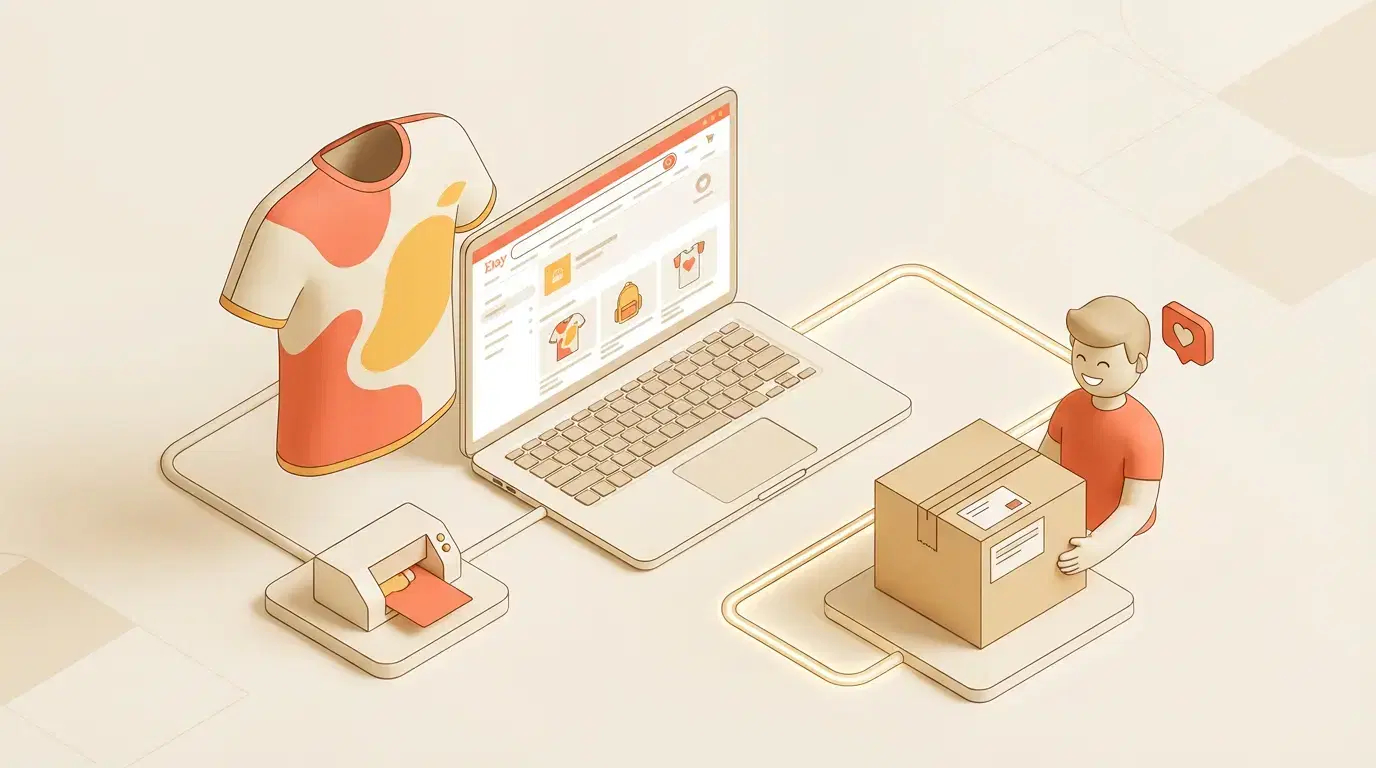
Etsy print on demand combines Etsy's marketplace platform with POD fulfillment services. You create designs and list products in your Etsy shop. When a customer orders, your POD provider prints the item and ships directly to the buyer. You never touch inventory.
Here's how the process works:
Customer orders: Someone buys your t-shirt design from your Etsy shop.
Order syncs: The order automatically flows to your connected POD provider (Printful, Printify, or Gelato).
Production happens: Your provider prints the design on the product.
Direct shipping: They ship directly to your customer with your branding.
Profit: You keep the difference between your Etsy price and the POD production cost.
The appeal for beginners is obvious: start selling with zero inventory investment. But Etsy print on demand isn't passive income. Success requires understanding Etsy's search algorithm, creating products buyers actually want, and optimizing listings to rank above competitors.
Why Etsy for Print on Demand?
Etsy offers advantages other platforms don't:
Built-in buyer intent: Etsy shoppers specifically seek unique, personalized items. They're not browsing—they're searching with purchase intent. That means higher conversion rates than generic marketplaces.
Search-based discovery: Unlike TikTok Shop's algorithm-driven discovery, Etsy is search-first. Optimize your listings correctly, and you appear when buyers search relevant keywords. Ranking drives consistent, predictable traffic.
Handmade perception: Even though POD products are technically mass-produced, Etsy's brand association with handmade items creates higher perceived value. Buyers pay premium prices for designs that feel personal and curated.
Lower competition than Amazon: Amazon's POD marketplace (Merch on Demand) is saturated with millions of designs. Etsy has competition, but niche-specific products can still break through.
The downside: Etsy takes a 6.5% transaction fee plus $0.20 per listing, and payment processing adds another 3% + $0.25. Your margins must account for these costs on top of POD production fees.
Step 1: Choose Your Etsy Print on Demand Niche
Most beginners skip niche selection and upload generic designs ("Coffee Lover," "Dog Mom"). They fail because Etsy's algorithm rewards specificity and buyer engagement. Niche sellers outperform generalists consistently.
How to Find Profitable Etsy POD Niches
Start with Etsy's search suggestions: Type a broad category into Etsy search (like "t-shirt") and note the autocomplete suggestions. These are high-volume search terms indicating buyer demand.
Analyze existing bestsellers: Go to Etsy's homepage and check "Popular Right Now" or manually search your category. Sort by "Bestselling" and study what's working. Look for design patterns, colors, messaging styles.
Check competition levels: High-selling items with thousands of reviews indicate demand but also heavy competition. Look for niches with 10-50 listings that have solid reviews (100-500 each). That's the sweet spot: proven demand, manageable competition.
Use trend data: Trend Finder identifies emerging trends before saturation. Spot opportunities in niche communities (book lovers, specific hobbies, micro-fandoms) early.
Validate with keyword tools: Tools like eRank or Marmalead show search volume and competition scores for Etsy keywords. Target keywords with medium search volume and low-medium competition.
Best Etsy Print on Demand Niches for Beginners
Pet owners: Dog breed-specific designs, cat lover products. High passion, strong buyer loyalty, willingness to pay premium prices.
Teachers and educators: End-of-year gifts, classroom decor, appreciation items. Seasonal spikes but predictable demand.
Book lovers: Genre-specific designs ("Fantasy reader," "Romance book club"), literary quotes, fandom references.
Wellness and self-care: Mental health awareness, mindfulness quotes, self-care reminders. Growing category with engaged buyers.
Hobby communities: Knitting, gardening, hiking, fishing. Passionate audiences seeking identity-expression items.
Milestone celebrations: Graduation, retirement, new home, pregnancy announcements. Life-event purchases drive urgency.
Avoid oversaturated niches like general motivation quotes, basic holiday designs, or generic pet products unless you have a unique angle.
Step 2: Set Up Your Etsy Shop for POD Success
Etsy shop setup takes 30 minutes, but most beginners make critical mistakes that hurt their credibility and search rankings.
Create Your Etsy Seller Account
Go to Etsy.com/sell and click "Open your Etsy shop."
Shop preferences: Choose your shop language, country, and currency. This affects which buyers see your shop.
Shop name: Pick something memorable, brandable, and niche-relevant. Avoid generic names ("CustomDesignShop"). Include your niche if possible ("BrewLifeApparel" for coffee lovers).
Listing preferences: Set up shipping profiles and payment methods now—you'll apply these to all listings later.
Complete Your Shop Policies
Etsy requires clear shop policies. Buyers check these before purchasing, and incomplete policies signal unprofessionalism. Reference the Etsy Seller Handbook for official guidance on policy requirements.
Processing time: With print on demand, processing takes 2-7 business days (depending on your POD provider). Be honest about timelines—Etsy penalizes shops with late shipments.
Shipping policies: Explain that products are made-to-order. Many buyers expect instant fulfillment, so set clear expectations.
Return policy: POD items are typically final sale (personalized products aren't returnable under Etsy's policy). State this clearly.
Shop policies template: Etsy provides templates. Customize them with your POD-specific details.
Optimize Your Shop Appearance
Shop banner: Create a branded banner (1200 x 300 pixels) showing your niche and style. Use Canva templates if you lack design skills.
Shop icon: Upload a logo or brand mark (500 x 500 pixels minimum). This appears in search results—make it recognizable.
About section: Write your shop story. Etsy buyers value authenticity. Explain what you create, why you started, and what makes your designs unique.
Shop announcement: This appears at the top of your shop. Highlight current promotions, best sellers, or processing times.
Verify Your Payment and Billing
Payment account: Connect your bank account for Etsy Payments (required in most countries).
Billing method: Add a payment method for listing fees and subscription costs (if applicable).
Tax settings: Set up tax collection for your location. Etsy handles this automatically for most U.S. states and countries.
Step 3: Select Your Print on Demand Provider
Your POD provider determines product quality, shipping speed, and profit margins. Most Etsy sellers use Printful, Printify, or Gelato. Each has trade-offs.
Printful for Etsy Print on Demand
Printful offers premium quality, excellent customer service, direct Etsy integration, and consistent production times.
Pros: Premium quality, excellent customer service, direct Etsy integration, consistent production times.
Cons: Higher base costs reduce profit margins. T-shirts run $12-16 before your markup.
Best for: Quality-focused sellers willing to charge premium prices. Works well for apparel and home decor.
Etsy integration: Printful syncs directly with Etsy. Orders flow automatically, and tracking updates push to customers without manual work.
Printify for Etsy Print on Demand
Printify provides multiple print provider options with competitive pricing.
Pros: Multiple print provider options, lower base costs (t-shirts as low as $8), price comparison tools.
Cons: Quality varies by provider. Shipping times less consistent than Printful.
Best for: Budget-conscious sellers maximizing profit margins or testing multiple products.
Etsy integration: Direct sync available. Choose individual providers for each product type based on reviews and pricing.
Gelato for Etsy Print on Demand
Gelato specializes in global production with local fulfillment.
Pros: Global production network, fast local shipping, eco-friendly printing, competitive pricing.
Cons: Smaller product catalog than Printful/Printify. Less Etsy-specific support.
Best for: International sellers or those targeting European/Australian markets.
Etsy integration: Available through Gelato's dashboard. Manual sync required for some features.
Which Provider Should You Choose?
Start with Printful if quality and customer satisfaction are priorities. Their higher costs are offset by fewer returns and better reviews.
Use Printify if you're testing products or targeting budget-conscious buyers. Compare providers within Printify's network before committing.
Consider Gelato if you're outside the U.S. or targeting international buyers. Local production reduces shipping times and costs.
Many experienced sellers use multiple providers: Printful for apparel quality, Printify for accessories and budget items, Gelato for international orders.
Step 4: Create Print on Demand Products Without Design Skills
Most beginners think Etsy print on demand requires Photoshop expertise. It doesn't. AI-powered design tools now generate professional designs in seconds.
Design Creation Options for Etsy POD
Option 1: AI design generators like AI Design Generator create production-ready designs from text prompts. Describe your concept ("vintage-inspired camping t-shirt with retro sunset colors"), and AI delivers variations. No design skills required.
Option 2: Canva templates offer pre-made designs you customize. Swap text, adjust colors, add elements. Canva's free tier works for beginners; Pro tier ($12.99/month) unlocks more options.
Option 3: Hire designers on Fiverr or Upwork ($15-50 per design). Cost-effective if you lack time or creative vision. Request commercial-use rights and source files.
Option 4: Design yourself in Photoshop or Illustrator if you have skills. This gives complete creative control but requires time investment.
For Etsy print on demand beginners, AI tools provide the fastest path to market. Create 10-20 design variations in an hour instead of days.
Etsy Design Requirements and Best Practices
File specifications: Most POD providers require 300 DPI resolution and specific dimensions (typically 4500 x 5400 pixels for standard apparel). AI Design Generator exports at correct specs automatically.
Text readability: If your design includes text, ensure it's legible at product size. Small fonts look great on screen but fail on printed items.
Color profiles: Use RGB for digital mockups, but your POD provider converts to CMYK for printing. Colors may shift slightly—preview before launching.
Design placement: Center-chest designs work for most t-shirts. Full-front designs require larger canvases and cost more to produce.
Copyright compliance: Never use copyrighted characters, logos, or celebrity images without licenses. Etsy removes listings and bans repeat offenders.
Create Mockups That Convert
Etsy buyers make purchase decisions based on mockups. Poor mockups kill sales even with great designs.
Lifestyle mockups outperform flat lays: Show your t-shirt on a person in a natural setting, not just the shirt on a white background. Buyers visualize themselves wearing it.
Virtual model mockups from AI Mockup Generator generate professional lifestyle shots in under 60 seconds. Choose model demographics matching your target customer.
Multiple angles: Etsy allows 10 images per listing. Use them. Show front, back, detail shots, size comparisons, and 2-3 lifestyle angles.
Consistent style: Your shop's mockups should have visual cohesion. Use similar backgrounds, lighting, and model styles across listings. This builds brand recognition.
Image dimensions: Etsy recommends 2000 pixels minimum on the shortest side. Square (1:1) or 4:3 landscape ratios display best in search results.
Step 5: Optimize Etsy Listings for Search Rankings
Etsy is a search engine first, marketplace second. 90%+ of traffic comes from search. If your listings don't rank, they don't sell—regardless of design quality.
Etsy SEO Fundamentals
Etsy's algorithm considers three main factors:
Listing quality score: Complete listings with all 13 tags, multiple images, detailed descriptions, and shipping profiles rank higher.
Relevancy: How well your title, tags, and attributes match the shopper's search query.
Recency: New listings get a temporary ranking boost. Renew listings ($0.20 each) to recapture this boost.
The most important element is your title—it carries the most SEO weight.
Write Etsy Titles That Rank
Format: [Primary Keyword] | [Secondary Keyword] | [Specific Details]
Good example: "Vintage Camping T-Shirt | Retro Outdoor Hiking Shirt | Mountain Adventure Gift for Men"
Bad example: "Cool Shirt | Awesome Design | Gift Idea"
Title rules:
- 140 characters maximum
- Front-load your primary keyword (first 40 characters carry most weight)
- Include 2-3 relevant keywords naturally
- Be specific about product type, style, and audience
- Avoid keyword stuffing (natural language ranks better)
Keyword research: Use Etsy's search bar autocomplete to find high-volume terms. Type your category and note suggestions. Tools like eRank show search volume and competition.
Optimize Etsy Tags (Critical for Rankings)
Etsy allows 13 tags per listing. Use all 13—incomplete listings rank lower.
Tag strategy:
- Tags 1-3: Your most important keywords (exact match to search terms)
- Tags 4-7: Long-tail variations ("camping t-shirt for men," "vintage outdoor shirt")
- Tags 8-10: Broader category terms ("gift for dad," "nature lover")
- Tags 11-13: Seasonal or trending terms when relevant
Multi-word tags: Etsy treats multi-word tags as phrases. "vintage camping" is different from "camping" + "vintage" separately. Use both strategies.
Avoid repeating title words exactly: Tags should complement your title, not duplicate it. Expand keyword coverage.
Write Descriptions That Convert
Etsy descriptions don't directly affect search rankings, but they impact conversion rates—which indirectly helps SEO (higher sales = higher rankings).
Description structure:
Paragraph 1 (First 160 characters): This appears in Google search results. Include your primary keyword and main benefit. "This vintage camping t-shirt features retro sunset graphics perfect for outdoor enthusiasts. Made-to-order with premium materials."
Paragraph 2-3: Expand on product details, material, fit, care instructions, sizing guidance.
Paragraph 4: Who is this for? Describe your ideal customer and use cases.
Paragraph 5: Production and shipping timeline. Set clear expectations for made-to-order items.
Paragraph 6: Return policy reminder and customer service contact.
Formatting tips: Use line breaks for readability. Bullet points (with emojis if on-brand) help scanners. Bold key benefits.
Set Competitive Pricing
Etsy print on demand pricing must balance profitability with market rates.
Pricing formula: POD Cost + Etsy Fees (9.5% total) + Shipping + Desired Profit = Your Price
Example calculation:
- Printful t-shirt: $14.50
- Etsy fees on $30 sale: $2.85
- Shipping (built into price): $4.00
- Your profit goal: $10.00
- Total listing price: $31.35 (round to $31.99)
Competitive analysis: Search your exact product on Etsy and note typical pricing. Price within 10-20% of competitors unless you offer clear differentiation (faster shipping, premium quality, unique designs).
Free shipping psychology: Etsy prioritizes listings offering free shipping in search. Build shipping costs into your product price and enable "free shipping" to rank higher.
Step 6: Launch Your First Etsy Print on Demand Products
You've set up your shop, chosen a provider, created designs, and optimized listings. Now it's time to launch.
How Many Listings to Start With
Minimum: 10 listings to make your shop look established. Fewer than 10 signals "new seller" and hurts credibility.
Optimal: 20-30 listings at launch gives you enough variety for buyers to browse and increases your chances of ranking for multiple keywords.
Growth target: 50-100 listings within 90 days. Etsy rewards active shops with consistent listing volume.
Quality over quantity applies, but Etsy's algorithm favors shops with larger inventories. More listings = more chances to appear in search results.
Multi-Platform Publishing for Efficiency
Creating listings manually on Etsy is time-consuming. Multiply that by TikTok Shop and Instagram, and you're spending hours per product.
Channel Merchandiser publishes to Etsy, TikTok Shop, and Instagram simultaneously with platform-specific optimization. One design becomes three listings in under 60 seconds.
For Etsy specifically, the tool generates SEO-optimized titles using all 13 tags and adapts descriptions to Etsy's search algorithm.
Test and Iterate Strategy
Don't launch 100 products at once. Use a phased approach:
Phase 1 (Week 1-2): Launch 20 products across 2-3 niche variations. Monitor which niches generate views and engagement.
Phase 2 (Week 3-4): Double down on top-performing niche. Create 20 more products in that category with design variations.
Phase 3 (Week 5-8): Add complementary products (if selling t-shirts, add hoodies and mugs). Test seasonal items if timing aligns.
Phase 4 (Week 9-12): Analyze sales data. Identify your best sellers and create more variations. Pause or remove products with zero views after 30 days.
Step 7: Drive Traffic to Your Etsy Shop
Listings don't sell without views. Etsy provides organic search traffic, but you need supplementary strategies for consistent sales.
Etsy Ads (Built-In Paid Advertising)
Etsy Ads place your listings at the top of search results and category pages. You pay per click (CPC).
How it works: Set a daily budget ($1-5 minimum for beginners). Etsy automatically shows your listings in relevant searches. You pay when someone clicks.
Effectiveness: Etsy Ads work best for listings with strong organic performance. Don't advertise products with zero organic views—fix your SEO first.
Budget recommendation: Start with $5/day for 30 days ($150 total). Track ROAS (return on ad spend). Profitable campaigns show 3:1 ratio or higher ($3 revenue per $1 spent).
Etsy SEO Optimization (Free Traffic)
Organic search remains the most profitable traffic source. Optimize existing listings consistently:
Renew listings strategically: Renewing costs $0.20 but gives your listing a temporary ranking boost. Renew top performers weekly, others monthly.
Update underperforming listings: If a listing has zero views after 30 days, rewrite the title and tags. Test different keywords until you find combinations that generate traffic.
Seasonal optimization: Update tags and titles for seasonal keywords (e.g., add "Christmas gift" in Q4, "Mother's Day" in Q2).
Pinterest Marketing (High-Converting Traffic)
Pinterest drives significant traffic to Etsy shops. Create pins linking to your listings:
Pin design: Use your best mockup image. Add text overlay with your product name and benefit. Vertical format (1000 x 1500 pixels) performs best.
Keywords in pins: Write SEO-optimized pin titles and descriptions. Pinterest is a search engine—keywords matter.
Consistency: Pin daily (5-10 new pins). Use scheduling tools like Tailwind to automate.
Conversion rates: Pinterest traffic converts 2-3x higher than social media because users have purchase intent.
Instagram and TikTok Content
Social media builds brand awareness and drives supplementary traffic.
Instagram strategy: Post product photos, behind-the-scenes content, customer photos (with permission). Use 15-25 hashtags per post. Link to Etsy shop in bio.
TikTok strategy: Create short videos showing your design process, product reveals, or niche-specific content. TikTok's algorithm favors new accounts—post consistently for 30 days.
Content volume: Aim for 3-5 posts weekly across platforms. Shorts Creator auto-generates video content from your designs for TikTok and Reels.
Step 8: Automate Your Etsy Print on Demand Workflow
Manual workflows cap your growth. Scaling to 100+ listings while managing orders, customer service, and content creation requires automation.
Order Fulfillment Automation
Direct integration: Connect your POD provider (Printful, Printify, Gelato) to Etsy via their apps. Orders sync automatically—no manual entry.
Smart routing: If using multiple providers, route orders to the optimal provider based on product type, cost, or shipping speed.
Tracking updates: Automated tracking numbers flow from provider → Etsy → customer emails. No manual updates required.
Listing Creation Automation
Design to listing pipeline: AI Design Generator generates designs, AI Mockup Generator creates images, and Channel Merchandiser publishes to Etsy—all in under 5 minutes per product.
Bulk publishing: Instead of creating one listing at a time, batch-create 10-20 products and publish simultaneously.
SEO automation: AI-generated titles and tags based on your niche keywords ensure every listing is optimized without manual keyword research.
Customer Service Automation
FAQ automation: Use Etsy's canned responses for common questions ("When will my order ship?" "What are your return policies?").
Order issues: Set up auto-responses for delay notifications. Your POD provider's integration handles most communication.
Reviews: Etsy automatically requests reviews 7 days post-purchase. No manual follow-up needed.
Performance Tracking Automation
Insights tracks your Etsy performance across all listings. See which products drive sales, which underperform, and receive optimization recommendations.
Key metrics to monitor:
- Views per listing (aim for 10+ daily for active listings)
- Conversion rate (target 1-3% for Etsy POD)
- Average order value
- Customer acquisition cost (from ads)
Weekly performance reviews (15 minutes) identify trends faster than monthly deep dives.
Step 9: Scale Your Etsy Print on Demand Business
Once you have consistent sales (20-50/month), focus on scaling strategies that compound growth.
Expand Your Product Catalog
Winning design variations: If one design sells well, create 5-10 variations with different colors, text, or styles.
Complementary products: If t-shirts sell, add hoodies, mugs, tote bags, and stickers with the same designs.
New niches: Once you master one niche, test adjacent markets. If "dog lover" products work, try "cat lover" or "pet owner" products.
Seasonal inventory: Plan seasonal products 60-90 days in advance. Christmas designs launch in October, graduation items in March.
Improve Profit Margins
Bulk discounts: POD providers offer volume discounts. Printful reduces costs by 10-20% at higher order volumes.
Premium pricing: As you build reviews and social proof, gradually increase prices. Test $2-5 increases and monitor conversion impact.
Etsy Plus subscription ($10/month): Unlocks advanced customization and marketing tools. Only worth it after 50+ monthly sales.
Build Brand Recognition
Consistent shop aesthetic: Use the same fonts, colors, and mockup styles across all listings. This builds visual brand identity.
Shop policies and packaging: Even though your POD provider ships, include personalized thank-you notes or stickers (some providers offer this). Positive unboxing experiences generate reviews.
Customer communication: Respond to messages within 24 hours. Etsy's algorithm rewards fast response times with higher search rankings.
Diversify Revenue Streams
Multiple marketplaces: Don't rely solely on Etsy. Expand to TikTok Shop, Shopify, and Amazon Merch once Etsy is stable. Multi-platform presence reduces platform risk.
Email list building: Etsy doesn't share customer emails, but you can include business cards in packaging directing buyers to your website. Build an email list for future marketing.
Print on demand website: Launch a Shopify store with the same products. Drive traffic via ads and social media. Margins are higher without Etsy's fees.
Common Etsy Print on Demand Mistakes to Avoid
Mistake 1: Using Generic Designs
The problem: "Coffee Lover" with a coffee cup icon has 50,000 competitors. Generic designs get buried in search.
The fix: Niche down. Instead of "Coffee Lover," target "Coffee Snob with French Press Obsession" or "Teachers Need Coffee to Survive."
Mistake 2: Ignoring Etsy SEO
The problem: Uploading products without keyword research. Hoping "cool design" attracts buyers.
The fix: Spend 10 minutes per listing researching keywords. Use eRank or Etsy's autocomplete. Front-load titles with high-volume terms.
Mistake 3: Poor Quality Mockups
The problem: Flat-lay product images on white backgrounds. Buyers can't visualize themselves using the product.
The fix: Use lifestyle mockups showing products in real-world contexts. AI Mockup Generator generates these in under 60 seconds.
Mistake 4: Pricing Too Low
The problem: Undercutting competitors to win sales. Racing to the bottom on price kills margins and attracts bargain hunters.
The fix: Price competitively within market range. Compete on design quality and shop reputation, not lowest price.
Mistake 5: Inconsistent Posting
The problem: Launching 20 products, then going silent for weeks. Etsy's algorithm favors active shops.
The fix: Commit to adding 5-10 new listings weekly for 90 days. Consistent activity signals to Etsy that your shop is serious.
Mistake 6: Neglecting Customer Service
The problem: Slow response times or ignoring messages. Etsy penalizes shops with poor communication metrics.
The fix: Respond within 24 hours (faster is better). Set up mobile notifications so you never miss messages.
Mistake 7: Violating Copyright
The problem: Using Disney characters, NFL logos, or celebrity images without licenses. Etsy removes listings and bans repeat offenders.
The fix: Only use original designs or properly licensed content. When in doubt, don't upload it.
The Etsy Print on Demand Checklist
Before launching your shop, verify you've completed:
Shop Setup:
- Etsy seller account created
- Shop name selected (niche-relevant, memorable)
- Shop policies completed (processing, shipping, returns)
- About section written (authentic brand story)
- Banner and icon uploaded (branded visuals)
- Payment and billing verified
Product Creation:
- POD provider selected and integrated (Printful, Printify, or Gelato)
- Design creation method chosen (AI tools, Canva, hire designer)
- 10-20 designs created for launch
- Mockups generated (lifestyle and flat-lay)
- Files exported at correct specifications (300 DPI)
Listing Optimization:
- Keyword research completed for each product
- SEO-optimized titles written (primary keyword front-loaded)
- All 13 tags used per listing
- Descriptions written (160-character summary + details)
- Pricing calculated (competitive with profit margin)
- Free shipping enabled (if feasible)
Launch Preparation:
- 10+ listings published at minimum
- Product photos (10 images per listing when possible)
- Consistent mockup style across shop
- Shipping profiles set (accurate processing times)
- First orders tested with provider
Growth Strategy:
- Pinterest account created and pins scheduled
- Instagram/TikTok content planned (3-5 posts weekly)
- Etsy Ads budget set ($5/day to start)
- Performance tracking system in place (weekly reviews)
- Automation tools implemented for scaling
Your Next Steps
Etsy print on demand works when you treat it like a real business—not a side hustle you check occasionally. The sellers earning $5,000+ monthly didn't get lucky with viral designs. They optimized for Etsy's search algorithm, posted consistently, and scaled with automation.
Here's your 90-day action plan:
Days 1-7: Set up your Etsy shop, choose a POD provider, and complete shop policies. Research your niche and create your first 10 designs.
Days 8-30: Launch 20-30 listings with optimized titles and tags. Start driving traffic via Pinterest and social media. Monitor performance and iterate on underperformers.
Days 31-60: Add 20-30 more listings focused on your best-performing niche. Test Etsy Ads with a small budget. Begin automating your workflow with tools like Etsy POD.
Days 61-90: Expand product types (add complementary items like hoodies, mugs, stickers). Scale your listing volume to 50-100 products. Review analytics and double down on winners.
The biggest mistake beginners make is overthinking instead of launching. Your first listings won't be perfect—and that's fine. Etsy rewards action. Get your first 10 products live this week, then optimize based on real data.
Ready to start your Etsy print on demand business? Vaybel's AI toolkit handles design creation, mockup generation, and multi-platform publishing—so you can focus on growing your shop instead of manual busywork.