Today we're shipping Vaybel MCP — a Model Context Protocol server that connects your print-on-demand clothing brand to every major AI chat. Paste one JSON block into Claude, ChatGPT, Gemini, or any MCP client, and they can design products, render mockups, and query your catalog on your behalf.
If Shopify's MCP lets AI run a store, Vaybel's MCP lets AI design and ship clothing products for your brand.
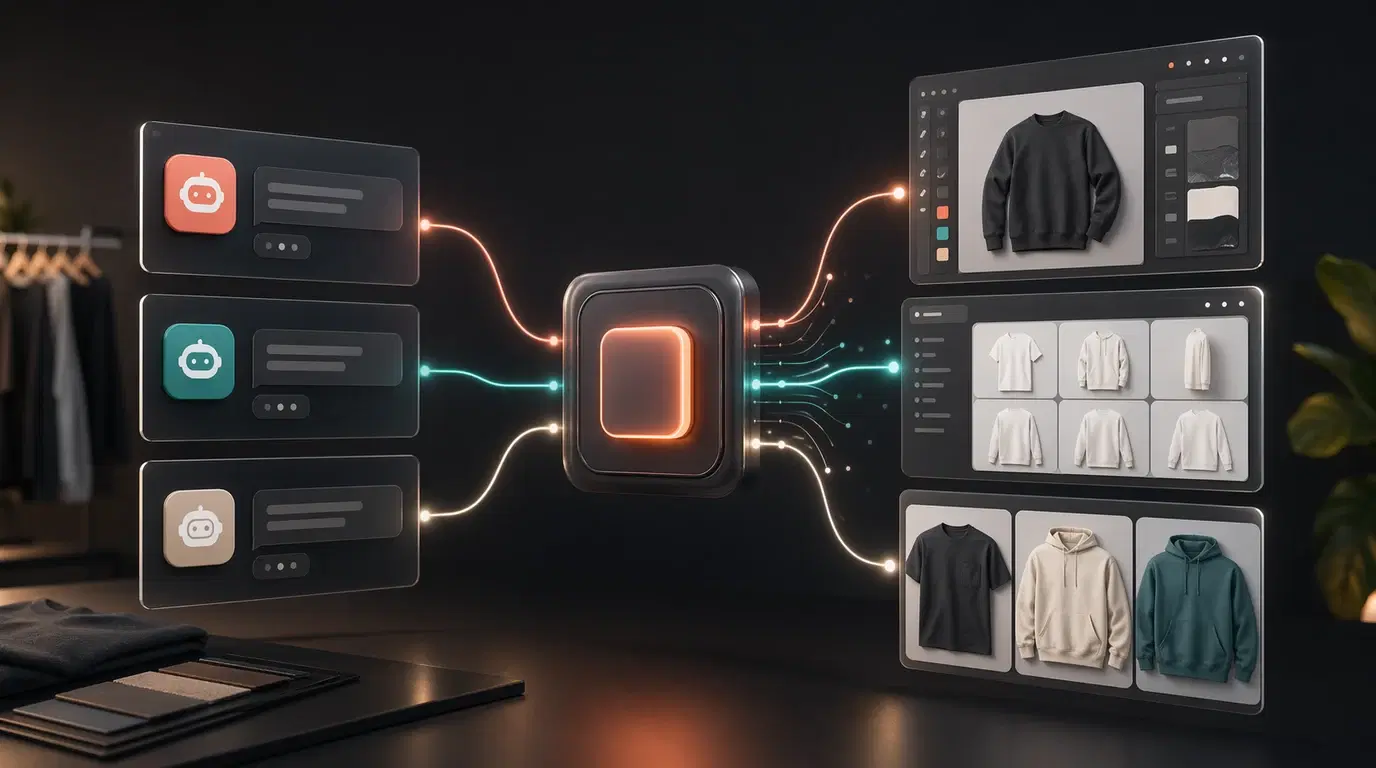
What Is Vaybel MCP?
MCP — the Model Context Protocol — is an open standard from Anthropic that's become the default way AI agents talk to external systems. Stripe, Linear, Notion, Shopify, and GitHub all ship MCP servers. An agent connects once, gets a structured tool catalog, and can call those tools as naturally as it generates text.
Vaybel MCP does that for clothing and print-on-demand. A developer wires it up in about five minutes. From that moment on, any connected chat can:
- Query the catalog of Vaybel blanks — filter by technique (DTG, AOP, sublimation), category, or brand.
- Generate designs on a specific blank with a text prompt. Generation runs in the background; the chat polls or waits for completion.
- Render mockups — standard flats pulled from Printful (free), or AI-enhanced Pro mockups (2 credits each).
- Inspect the brand profile for the connected organization — colors, typography, tone, product types.
- Check the credit balance before committing to an expensive chain of calls.
All of this over a single HTTP endpoint at mcp.vaybel.com, authenticated with a Bearer token. Listings (Etsy / Shopify / TikTok Shop), 9:16 short videos, trend intelligence, and Printify / Printful import — the rest of the clothing-brand workflow — landed on the same endpoint in the weeks following launch. The same token picks up every new tool the moment it ships.
The Gap We Saw
Every adjacent category has an incumbent — and every incumbent leaves a hole.
- Generic image generators can produce a pretty graphic, but they don't know what a DTG-friendly file looks like, can't render a real Bella Canvas 3001 mockup, and have no notion of all-over-print tiling.
- Print-on-demand APIs exist (Printful, Printify), but they assume you already have artwork. Wiring an agent to generate the artwork, dispatch production, and gather mockups still takes a custom orchestration layer.
- No-code print-on-demand automation tools (Wondr AI, PrintJourney) are great for sellers who want a GUI. They're not useful for a developer who wants to put a clothing brand behind a Python agent or an n8n workflow.
- Community MCP servers for Printify and Printful exist, but they're single-API wrappers — no design generation, no mockup rendering, no catalog.
That's the gap Vaybel MCP fills. Full-stack clothing-brand tools, agent-framework-agnostic, no custom glue code.
What You Can Build Today
Two concrete examples:
Design a product end-to-end from Claude Code
You: Find a Bella Canvas 3001 blank, design a neon-coral
     streetwear graphic, and render mockups.

Claude:
  ✓ list_blanks            → BC-3001 selected
  ✓ generate_design        → task dispatched
  ✓ design.get             → design ready (3m 42s)
  ✓ generate_mockup        → 2 flats rendered

  Here's your design + mockup URLs.
Four tool calls, one conversational prompt. No manual file juggling, no switching between apps.
Batch a product line from a Python agent
for brief in briefs:
    task = mcp.call("generate_design",
                    product_uuid=blank_id, prompt=brief)
    results.append(mcp.call("design.get",
                            handle=task["handle"],
                            wait_sec=600))

# Parallel mockup rendering — idempotent
mockups = [mcp.call("generate_mockup",
                    design_id=r["design_id"])
           for r in results]
Run it on cron, run it in LangChain, run it in OpenAI Agents SDK — it's MCP, so the client doesn't matter.
How It Works
Authentication
You create a Personal Access Token (PAT) in your Vaybel organization's settings. Format: vbl_pat_live_<32 urlsafe chars>, registered with GitHub secret scanning. The raw token is shown once; we store a SHA256 hash at rest. A stolen database row cannot be replayed.
Each token belongs to one organization and carries granular scopes — brand_dna:read, catalog:read, design:write, mockup:write, and so on. You assign only the scopes a given integration actually needs.
Transport and Protocol
HTTP with streamable SSE. Protocol version 2024-11-05. Every MCP-capable client speaks this out of the box — paste the JSON config into your client, restart, done.
{
  "mcpServers": {
    "vaybel": {
      "type": "http",
      "url": "https://mcp.vaybel.com/",
      "headers": {
        "Authorization": "Bearer vbl_pat_live_..."
      }
    }
  }
}
Claude Desktop, Claude Code, ChatGPT, Gemini, and custom agents all accept this shape.
Safety
Rate limits are enforced per-PAT, per-tool — 10 design generations a minute, 20 mockup dispatches a minute. Billable tools are further gated by your credit balance, so a runaway agent hits insufficient credits before it hits a hard API wall.
Idempotent operations (generate_design, generate_mockup) dedupe on retry, so an agent that loops on a flaky network doesn't double-charge.
Pricing
There is no separate developer tier. The MCP spends the same Vaybel credits your dashboard already uses:
generate_design— 10 credits per callgenerate_mockup(Pro quality) — 2 credits per mockupgenerate_mockup(Standard quality) — freecreate_listing— 2 credits per draftgenerate_launch_concept— 2 credits per new concept (cached repeats free)content.generate(video) — 40 credits per successful video (failed generations not charged; slideshows 12, carousels 4, single photos 1)- All status polls and read tools — free
Creating and revoking tokens is free. There's no minimum spend, no monthly MCP subscription.
Who This Is For
Developers and AI builders who want to put a clothing-brand workflow behind an agent — whether that's a weekly-drop cron, a Pinterest-to-product pipeline, an internal tool that turns moodboards into mockups, or a batch job that generates a fifty-piece capsule.
If you'd rather use Vaybel directly — dashboards, design studio, one-click publishing — start with the main platform. Same engine, no code required.
What's Shipped Today
The full clothing-brand loop. 60 tools across 14 workflow domains, all reachable from the same mcp.vaybel.com endpoint with the same PAT:
- Find — trend feed scored against your brand DNA, seasonal calendar, blank catalog.
- Generate — AI designs (DTG / AOP / cut-sew), Pro mockups on real blanks, 9:16 short videos for TikTok Shop.
- Publish — Etsy, Shopify, TikTok Shop. Draft creation, AI title / description / tag regen, channel push, publish.
- Optimize — import products you already have on Printify or Printful, discover the linked sales-channel listing, rewrite.
- Manage — browse and curate designs, mockups, listings, and shorts. Like / dislike feedback drives the retry loop.
- Inspect — brand DNA, credit balance, ping.
Plus the platform basics from the launch:
- HTTP-streamable transport at
mcp.vaybel.com, protocol2024-11-05. - PAT authentication with 23 granular scopes, SHA256-hashed at rest.
- Per-tool rate limits + balance preflight on billable operations.
- Full reference docs at vaybel.com/docs/mcp.
Get Started
Three things, in this order:
- Create a PAT — Dashboard → Settings → MCP. Pick the scopes you need.
- Wire it into your client — paste the JSON into Claude Desktop, Claude Code, ChatGPT, or Gemini. Restart the client.
- Run your first tool call — ask your agent for a list of AOP hoodie blanks. Watch it call
catalog.list_blanksand return the list.
Full quickstart is in the docs. The landing page has the full pitch; the tool reference has every signature and return shape.
We'd love to see what you build. If you ship something on top of Vaybel MCP — a weekly-drop agent, a moodboard-to-listing pipeline, a Discord bot that designs team merch — tell us about it. We'll feature the best examples.