Last updated: September 5, 2026
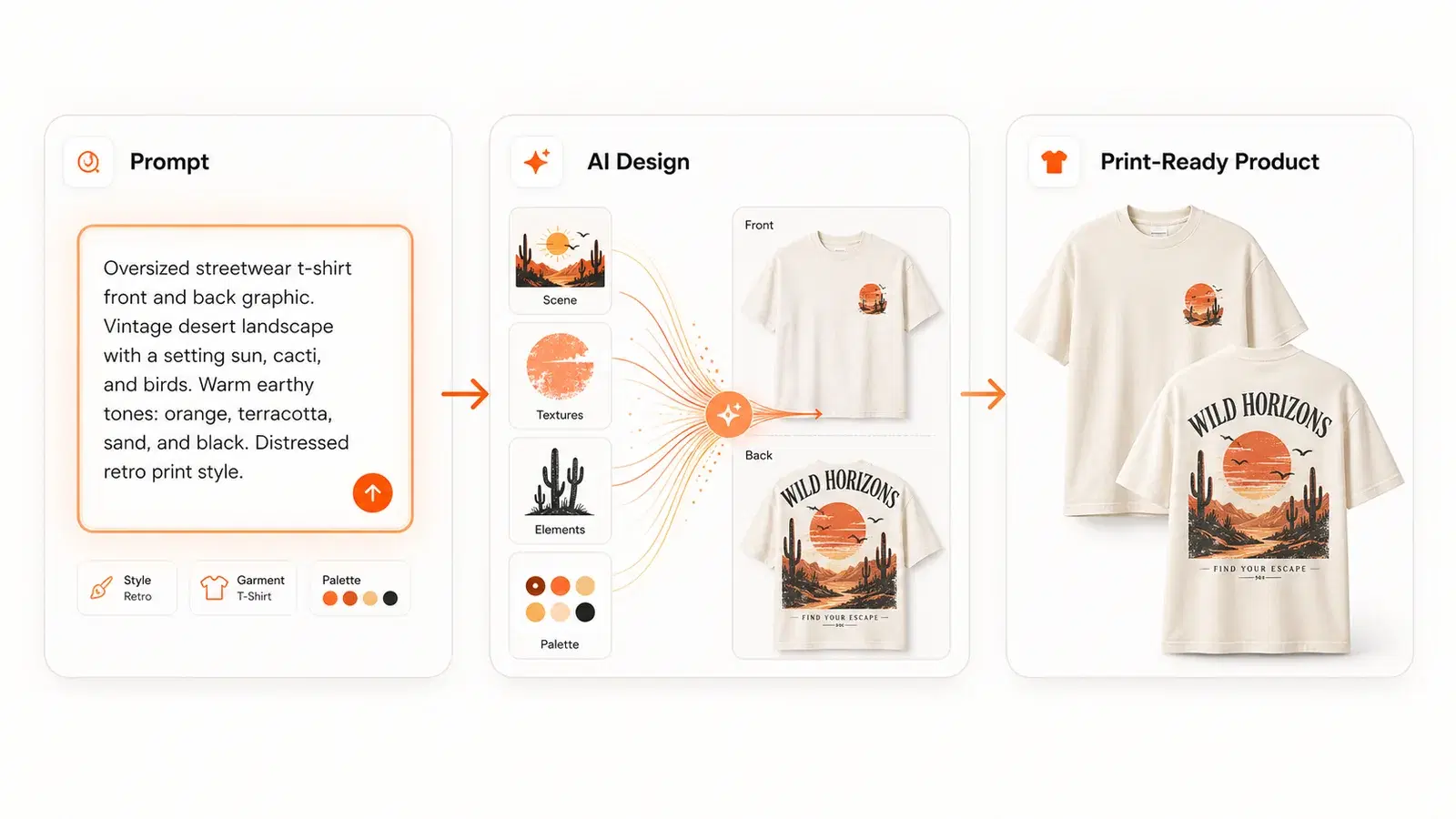
AI design tools for clothing brands help develop artwork, visualize garments, or prepare the images and information needed to sell them. The right choice depends on the output you need: a fashion concept, an editable graphic, a print file for a selected blank, or a product listing in your shop.
For a small print-on-demand clothing shop, begin with the actual product. Choose the blank, print method, placement, and audience. Then evaluate tools against those decisions. An attractive picture of a hoodie is not the same deliverable as artwork your provider can print on that hoodie.
This guide compares five categories and shows an illustrative first-product workflow. Vaybel publishes the guide and is included among the options. Product descriptions are based on the linked sources and current Vaybel capabilities, rather than a claim that every tool has undergone an identical hands-on test.
What Makes an AI Tool "for Clothing Brands" vs. a General Image Generator
The distinction is the job the tool helps you complete. General image generation can be useful for apparel artwork, while fashion visualization tools may be better for exploring a silhouette, outfit, or campaign image.
Whichever tool you use, the product workflow still needs these decisions:
- Check the file's pixel dimensions at the intended print size and the provider's color-profile requirements
- Adapt the design for the right print method — direct-to-garment (DTG) vs. all-over print (AOP) vs. screen print vs. embroidery
- Place the design correctly on the garment (chest, back, sleeve, or all-over)
- Check product images against the actual blank's fit, fabric, seams, and details
- Create a gallery that explains the garment and artwork to buyers
- Write accurate listings with the title, description, and attributes each channel needs
A connected tool such as Vaybel's AI Design Generator carries the selected product and artwork into mockup creation and listing preparation. Export dimensions and available actions depend on the product and workflow. Check the final file against the selected provider's requirements instead of assuming one resolution or DPI value fits every blank.
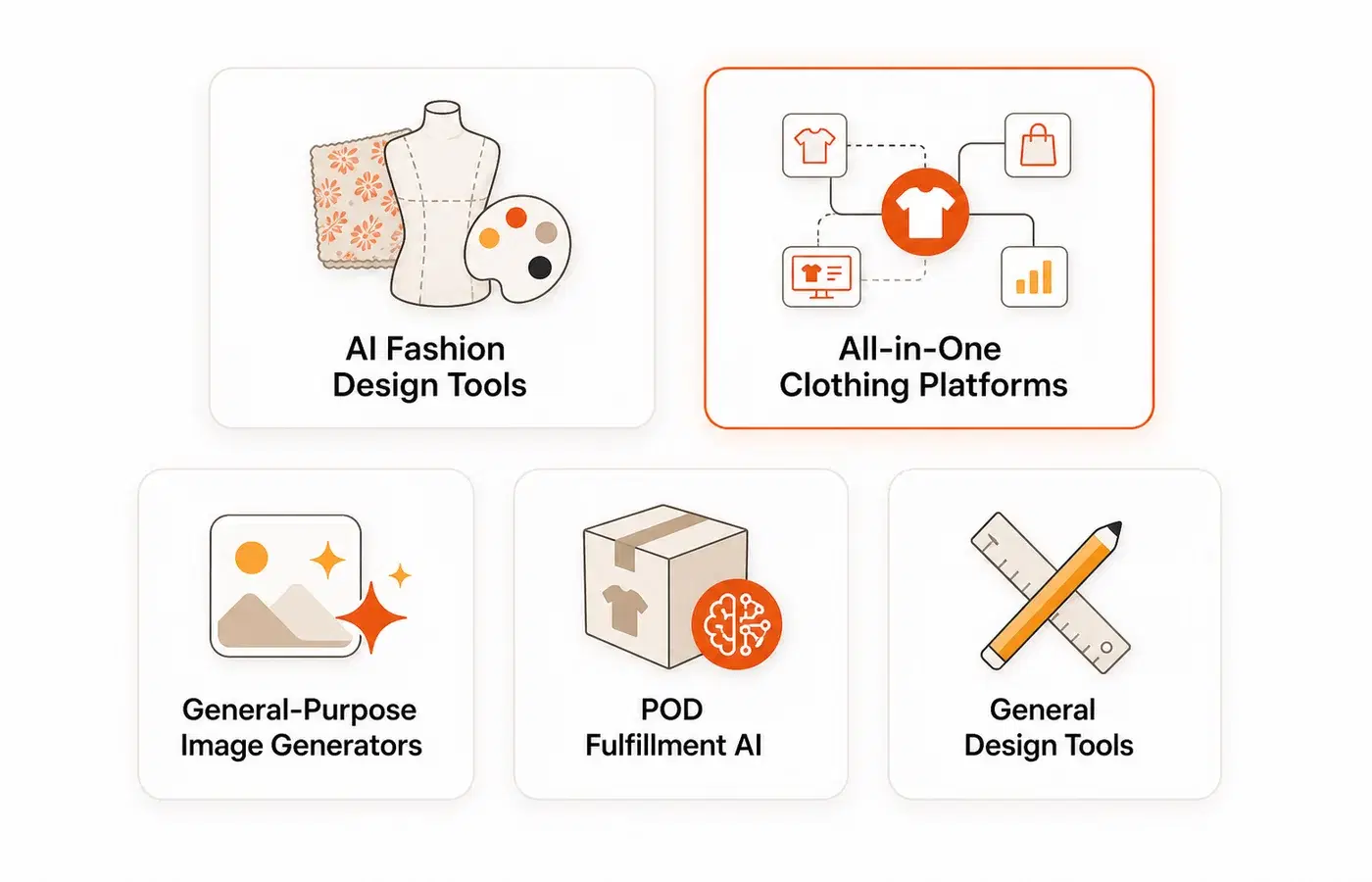
The Five Types of AI Design Tools for Clothing Brands
These categories are useful starting points, with some overlap. Several tools now combine design, imagery, and publishing features, so check the current product rather than relying on an old feature checklist.
1. AI Fashion Design and Visualization Tools
Fashion visualization tools can help explore garment shapes, fabrics, outfit combinations, and on-model imagery. For POD, establish whether the output is a concept image or a usable file for the print area you intend to sell.
The New Black describes fashion design, model imagery, virtual try-on, tech-pack tools, Shopify connections, and social publishing. It also provides MCP and API access. If you need fashion visualization, compare its current workflows with the specific production and listing steps your shop requires.
Resleeve now presents a broader platform for apps, creative media, and business automation. Older clothing-design comparisons may no longer describe the service being sold. Confirm that the fashion workflow you need is available before choosing it on the basis of an older review.
A useful evaluation is to bring one real garment reference and one written brief. Check how much of the garment the tool preserves, which details it changes, and what still needs production review.
2. General-Purpose Image Generators (Used for Clothing)
Midjourney can help explore illustration and visual direction. Its Basic plan is $10/month, with higher plans providing different time allowances and features. Evaluate the exported image at the intended print size and allow for any cleanup or layout work.
ChatGPT image tools can help develop a brief and iterate on visual ideas. Model access changes, so use the current product and plan details rather than assuming an older DALL-E comparison describes today's offering. Ask for the artwork itself if you need a print file; a rendered picture of someone wearing a tee serves a different purpose.
Leonardo.ai offers image generation, reference guidance, and personal model training on eligible plans. Its Essential plan is $12/month, with a limited free plan also available. Use a reference collection to check whether the outputs maintain the line weight and palette you want.
Nano Banana 2, introduced by Google in February 2026, supports image generation and editing through Gemini and other Google products. It is an option for exploring graphic concepts. Inspect lettering and print-size detail, and check your account's generation limits.
3. All-in-One AI Clothing Brand Platforms
Connected platforms carry product context between design, mockups, listings, and commerce. Compare which part they handle themselves and which part relies on your sales channel or production partner.
Vaybel ($19/month Starter, $79/month Growth) is built for independent clothing brands. Its AI Design Generator supports DTG and all-over-print workflows on catalog garments. Choose the product and print area, generate artwork, and review the export against that product's requirements. The same workspace creates mockups and listing drafts for connected Etsy, TikTok Shop, and Shopify stores through the AI Listing Generator. Generation and review time depend on the product and the revisions you need. Vaybel also offers an MCP server for supported AI assistants to work with its tools.
Pietra combines AI business tools with sourcing and fulfillment services. Evaluate it when you need a broader commerce and operations workflow. Confirm the particular service, sales-channel connection, and fulfillment arrangement you need; those are separate decisions from generating a clothing graphic.
4. POD Providers with Design Tools
Printful and Printify provide product design, mockup, and store-connection tools alongside production services. If you already use one of them, start by checking what its own product editor can do. An additional design subscription should solve a need you can identify, such as a different illustration workflow or a more varied image set.
Both offer ways to start without a paid subscription, while production and shipping are charged separately. Check the current Printful and Printify plans for subscriptions, discounts, and any extras you intend to use.
Design and merchandising happen in Vaybel; printing and shipping happen through the connected Printful or Printify account. Vaybel helps prepare the product and listing, but it does not determine the provider's production or delivery speed.
5. General Design Tools with AI Features
Canva offers editable layouts, graphics, and print-related workflows. It can be useful for typography, launch graphics, and arranging artwork. Check whether your plan includes the export settings you need and whether the fonts and assets are licensed for your intended merchandise use.
Adobe Firefly offers generation and editing alongside Adobe tools. Firefly Standard is $9.99/month, with limited free access and other bundles available. Compare the exact plan and model when evaluating features, usage allowances, and terms.
Kittl combines templates, text effects, vector tools, AI generation, and mockups. Paid plans provide high-resolution and vector exports. Its free plan is for personal use; choose the appropriate commercial license before selling products made with its assets or tools.
How to Choose the Right AI Design Tool for Your Clothing Brand
The right tool depends on where you are in your brand's journey.
If You're Just Starting Out (Pre-Launch)
Your first goal is a product you can review properly. Write a brief for one buyer, choose a blank and print method, and make a small set of design variations. Compare the tools using that same brief so the results help you make a decision.
Vaybel's Starter plan ($19/month with a 7-day trial and 200 monthly credits) includes design generation, mockup creation, and listing tools. A card is required; cancel before billing if you do not want to continue. Use the first product to learn the workflow and check your fulfillment setup. Publishing a listing is the start of testing demand; it does not establish that the product has buyers.
If You Have an Established Brand (Scaling)
You need consistency: brand-aligned designs across products, repeatable workflows, and the ability to launch drops faster. Look for tools with brand profile support (shared colors, typography, tone), bulk generation capabilities, and multi-channel publishing from one workflow.
Use Vaybel's Brand DNA to record your audience and creative direction. Review generated work against that brief rather than assuming every output will match it. Keep approved examples and note the changes that made a design or listing more useful.
If You're a Developer Building for AI
Vaybel's MCP documentation explains how supported AI assistants can access catalog, design, mockup, and listing tools. Check authentication, plan access, and the client setup for your assistant. Require a review of the destination and product before publishing. Other tools also offer APIs or MCP; compare the operations needed for your workflow.
What the 2026 Landscape Actually Looks Like
Compare each tool against the deliverable you need. Feature lists change, and a broad checkmark such as “print-ready” can hide the product-specific decisions you still have to make.
| Your next task | Options to evaluate | What to check |
|---|---|---|
| Explore a fashion concept or on-model image | The New Black and other fashion visualization tools | Garment fidelity, editable details, and the output needed for production |
| Develop original illustration ideas | Midjourney, Leonardo, Gemini, or ChatGPT image tools | Quality at print size, commercial terms, and cleanup required |
| Refine typography and layout | Kittl, Canva, or Adobe tools | Editable lettering, licensed assets, transparency, and export settings |
| Prepare a POD product in a connected workflow | Vaybel | Selected blank, print area, image accuracy, channel fields, and provider mapping |
| Place artwork and order through a print provider | Printful or Printify | Available colors and sizes, print guidelines, product cost, shipping, and samples |
| Combine creative work with broader commerce operations | Pietra | The exact sourcing, fulfillment, and connected-service arrangement |
For print files, follow the selected product's guidelines. Printful, for example, recommends sRGB IEC61966-2.1 for uploaded artwork. Pixel dimensions, final print size, and the export format matter together; changing a DPI label alone cannot add missing image detail.
Example Workflow: From Prompt to a Reviewed Listing
Here is an illustrative brief for a powerlifting-themed tee. It shows what to prepare and review at each step; it is not a customer case study or a timed benchmark.
-
Research the audience: Use the AI Trend Finder to explore a direction, then review existing offers and buyer language. Treat "powerlifting humor for women" as a hypothesis to investigate, not evidence of low competition or guaranteed demand.
-
Generate and refine artwork: Select a suitable blank and print area. Try a brief such as "Original powerlifting illustration, bold sans-serif lettering, earth tones, chest placement." Check the spelling, edges, contrast, and export dimensions before moving on.
-
Build the image set: Create a clear garment view, a lifestyle view, and a useful detail shot. Compare the print placement and colors across the set and against a sample of the finished product.
-
Review the listing draft: Use a clear product title, relevant tags, and accurate material, sizing, and care information. Adapt the draft to each destination channel's fields and requirements.
-
Publish and verify: Confirm the connected shop and fulfillment mapping, publish, and open the live listing to check it. Track buyer response in the sales channel; Vaybel's Shop Insights is available on Growth and above.
Plan for generation credits, revisions, and sample costs. Use the credit calculator to estimate the Vaybel actions you expect to use, and keep printing, shipping, and marketplace fees in your product budget.
Keep notes on which revisions improved the product and which listing questions buyers still ask. Those observations are more useful for your next launch than copying a promised completion time or revenue target.
Choose a workflow you can repeat
The best AI design tool for your clothing brand is the one that helps you produce the right deliverable at a cost you can sustain. Test it with a real product brief, inspect the exported file, and track how much editing and generation usage it takes to reach an approved result.
For a small first drop, keep the range manageable. Give each garment a clear role, maintain a consistent visual direction, and use samples and buyer questions to decide what to improve.
Your first reviewed product gives you a better basis for choosing the next tool than a feature checklist or a promised launch time.
Try Vaybel Free for 7 Days → Starter is $19/month after the trial, with 200 monthly credits. A card is required; cancel before billing if you do not want to continue. Printing, shipping, samples, and selling fees are separate.