Last updated: 2026-06-23
You can make professional clothing mockups with AI in about five minutes, no Photoshop required. The quick route is a browser-based generator: pick a garment template, upload your design, position it, and export a print-ready image. For a brand actually selling product, the better route is an AI mockup tool that produces both a clean white-background main image and lifelike on-model shots, sized to your sales channel's exact specs. No design software, no photoshoot, no hired model required.
Here's the part the "15 best mockup tools" listicles never tell you: a mockup isn't a deliverable, it's a listing image, and a listing image has a job. It has to pass your marketplace's review, load at thumbnail size, and convince a stranger scrolling at speed to stop and buy. A pretty PNG on a gray background that fails TikTok Shop's review does none of that.
You already sense this, which is why you're after a faster route than Photoshop and a photoshoot. You're not a designer, you don't want to be, and you shouldn't have to be. This guide takes you from "I have a design" to "I have a converting, channel-ready image set," and shows where AI collapses the whole job into a few minutes.
Key Takeaways
- Yes, you can skip Photoshop entirely. Browser generators and AI mockup tools put your design on a garment in minutes, no design software or photoshoot needed.
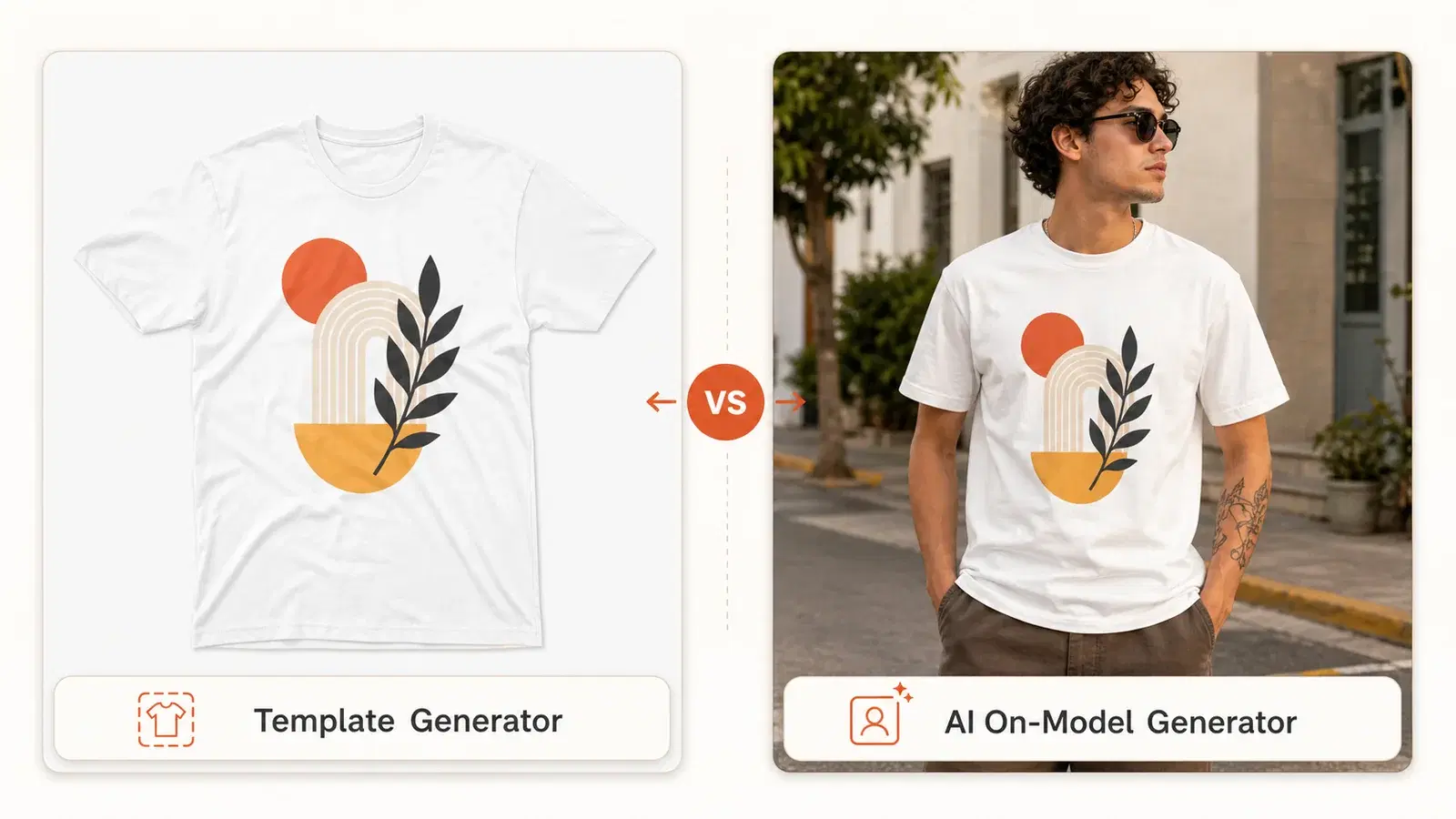
- The category split in two: template generators (a flat graphic on a fixed garment photo) and AI generators (your design on a lifelike on-model scene). You'll use both.
- Mockups are listing images with rules. TikTok Shop wants a 1:1 square, at least 800×800px, on a pure white background, under 5MB for the main image.
- Image quality moves money. Studies suggest most online shoppers decide based on product photos alone, and on-model shots typically out-convert flat-lay graphics.
- You need a design before a mockup. The real bottleneck for most founders isn't the mockup tool, it's not having print-ready art yet, which AI can now generate for you.
In this guide:
- Yes, you can make pro mockups with AI
- The two kinds of mockup tools
- Step 1: Get a design first
- Step 2: Make the mockup
- Step 3: Export to TikTok Shop's specs
- Step 4: Build the whole image set
- Doing it at scale
- Free vs. paid: the watermark trap
- Are AI mockups good enough to sell?
- From mockup to live listing
- FAQ
Yes, You Can Make Pro Clothing Mockups with AI
Photoshop was the old gatekeeper. To put a design on a shirt you needed the software, a license, smart objects, displacement maps, and a weekend of YouTube tutorials. That barrier is gone. Browser-based generators and AI tools now do the same job, often better, with zero design skill.
Here's the entire workflow in five steps. The rest of this guide just expands each one:
- Get your print-ready design (or generate it, more on that below).
- Choose your tool type: template generator or AI generator.
- Place your design on the blank, color, and fit you're selling.
- Export to your channel's image specs (size, ratio, background, file type).
- Build the full image set, not one mockup but the four to nine a listing needs.
If you're worried the AI route looks cheap, don't be. This is a quality question, not a software question, and we'll cover the checklist that keeps your output looking like a real brand in the section below.
Just need the mockup? Make your first clothing mockup free with Vaybel, upload a design, see it on real catalog blanks in minutes, no design software and no photoshoot.
First, the Two Kinds of Mockup Tools: Template vs. AI
The biggest source of confusion is that "mockup tool" now means two very different things. Knowing which camp you're in saves you hours.
Template generators
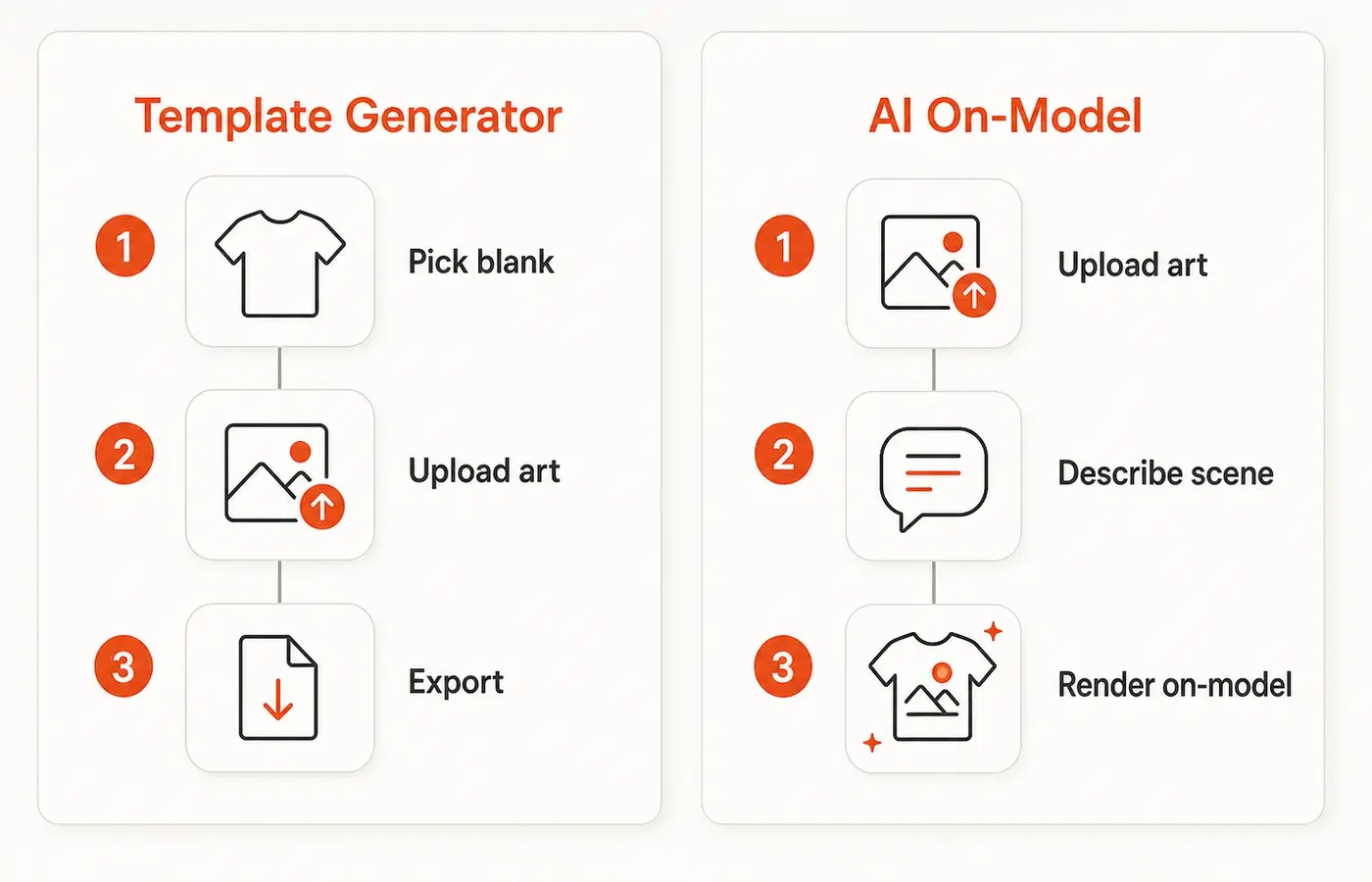
These drop your flat design onto a fixed photo of a garment. Think Placeit, Smartmockups, Canva, Mockey, and the built-in generators inside Printful and Printify. You pick a template, upload art, nudge it into place, and download.
They're fast, mostly free, and great for a clean catalog shot. The downside: the output often reads as "a graphic floating on a tee." Buyers have seen the stock Printful render ten thousand times, and it no longer signals "real brand."
AI generators
These AI clothing mockup generators put your design on a lifelike AI model in an actual scene: a person in a cafe, on a street, in a studio. Tools in this camp include Mock It AI, WearView, Recraft, and the newer AI features inside Mockey and Canva. You upload a design and the AI generates the model, the fit, and the setting.
This is the real shift of the last two years. Print-on-demand analysts now note that on-model shots typically out-convert flat-lay graphics, because a shirt worn by a person in context reads as something a real brand sells, not a template.
For a clothing-focused workflow, explore Vaybel’s AI mockup generator to build a product image set and review it before preparing your listing.
So which one?
Neither, and both. This is the trap every "best tool" article sets: it frames the choice as either/or when the answer is both, matched to the slot. Your channel's main image usually has to be a clean, white-background product shot (a template-style render), while your lifestyle images should be on-model. We'll map this out in Step 4.
| Template generators | AI generators | |
|---|---|---|
| Output | Flat graphic on a garment photo | Design on a lifelike model + scene |
| Best for | White-bg main image, catalog clarity | Lifestyle/hero shots that sell the vibe |
| Speed | Seconds | Seconds to a minute |
| Free tier | Common (often watermarked) | Limited, varies by tool |
| "Real brand" feel | Lower | Higher |
| The catch | Generic, overused look | Needs good prompts/inputs to avoid the "AI look" |
A founder prepping a streetwear drop for TikTok Shop runs into this immediately: the white-background flat shot is required for the listing, but it's the on-model image of the hoodie worn oversized on a model in an alley that actually gets the click. You need the boring one to go live and the good one to sell.
Step 1: You Need a Design First (the Step Everyone Skips)
Here's the honest blocker nobody admits: every mockup tutorial assumes you already have a print-ready design file. A lot of founders don't, and that's the real reason they're stuck, not the mockup software.
A mockup tool is a frame. It needs a picture to put in the frame. If you've got finished art, skip ahead. If you don't, you have three options:
- DIY it in a free tool like Canva, which is fine for text-based and simple graphic designs.
- Hire it out on Fiverr or from a designer, which costs money and time per revision.
- Generate it with AI, describing what you want and getting print-ready art back in seconds.
Whichever route you take, make sure the file is built for your print method and blank. A design meant for direct-to-garment printing on white cotton behaves differently than one for DTF on a dark blend. Getting this wrong means a great mockup and a bad physical print. If you're still choosing your garment, our guide to choosing blanks for your clothing brand covers how the blank, print method, and design file are really one decision.
This is where an AI-native workflow pulls ahead. Vaybel's AI Design Generator turns a prompt or idea into print-ready artwork with no design software, then hands it straight to the mockup step. You go from concept to mockup without ever opening a design app or waiting on a freelancer.
Stuck before you even start? If your blocker is "I don't have a design yet," generate one and mock it up in the same flow →. The design and the mockup stop being two separate chores.
Step 2: Make the Mockup, Template or AI
Once you have art, the actual mockup is the easy part. This is the heart of making clothing mockups without design software, and whether you're producing t-shirt mockups, hoodies, or hats, the steps barely change. Both camps follow nearly the same flow.
The universal template workflow
Every browser generator works basically like this, and it really is simpler than Photoshop:
- Pick the blank, color, and fit you're selling (the same SKU your print-on-demand provider will fulfill).
- Upload your design and drag it into position, scaling and centering it on the chest, pocket, or back.
- Export the finished image.
That's it. No layers, no masks, no displacement maps. The first time you do it, the "wait, that's the whole thing?" feeling is real.
The AI on-model workflow
For on-model shots, you upload your design, choose or describe the model and scene, and the AI renders your art onto the garment as if it were photographed. The skill here is in the inputs: a clear design file and a specific scene prompt produce a believable image, while vague inputs produce the uncanny "AI look" that buyers now spot.
Vaybel's AI Mockup Generator does both styles in one place and renders your design on real catalog blanks, so the shirt in the mockup matches the shirt your customer receives. That match matters more than it sounds: a mockup on a generic blank that looks nothing like your actual product is a return waiting to happen.
Step 3: Export to TikTok Shop's Image Specs (or It Won't Go Live)
This is the section the generic mockup guides skip entirely, and it's the one that gets listings rejected. A gorgeous mockup that ignores your channel's rules is a wasted afternoon.
If you're selling on TikTok Shop, your product images have hard requirements. As an official TikTok Shop App Store partner, we build to these specs, and here's what they are as of 2026:
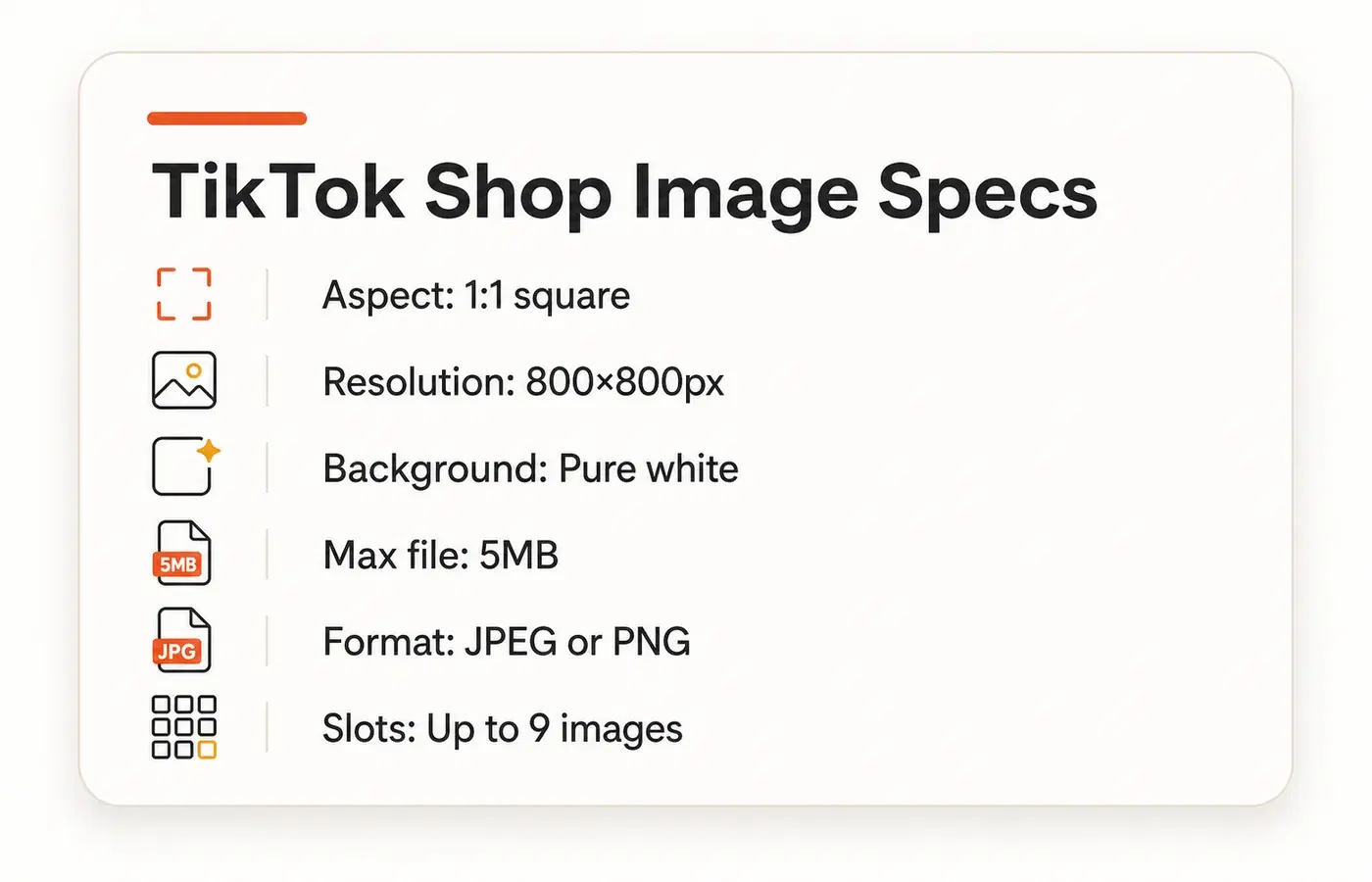
- Aspect ratio: 1:1 square, required.
- Resolution: at least 600×600px, with 800×800px or higher recommended.
- Main image background: pure white or light neutral, no props, no lifestyle scene.
- Product size in frame: the garment should fill roughly 80% of the image.
- File type and size: JPEG or PNG, under 5MB.
- Image count: up to 9 images per listing.
The white-background rule on the main image is not a suggestion. TikTok Shop actively enforces it during review to keep the marketplace consistent and the product clear. This is exactly why you still need a template-style render even in the AI era: your hero on-model shot belongs in a secondary slot, not slot one.
Whatever tool you use, export your main image as a clean, white-background, square render at 800×800px or larger, and you'll clear review the first time. Other channels (Shopify, Amazon, Etsy) have their own specs, so check before you batch-export an entire catalog at the wrong size.
Step 4: Build the Whole Image Set, Not One Mockup
A single mockup doesn't sell a product. A set does. Top print-on-demand listings typically run a mix of three to five image styles, and TikTok Shop gives you up to nine slots. Here's a slot-by-slot recipe that works for apparel:
- Slot 1, White-background main image. Clean, compliant, product fills the frame. Template-style render.
- Slot 2, On-model hero. Your design worn by a model in a real scene. This is the conversion shot.
- Slot 3, Back or alternate print. Show the full design if it wraps or has a back graphic.
- Slot 4, Detail / close-up. Fabric texture, print quality, collar or hem. Builds trust.
- Slot 5, Fit / scale. The garment on different body types or showing oversized vs. fitted.
- Slots 6–9, Variants and context. Other colorways, lifestyle scenes, or a size graphic.
The goal is a set that reads as one coherent brand. Consistent lighting, consistent model style, consistent framing. A jumble of mismatched mockups says "side hustle," while a tight, consistent gallery says "buy with confidence." Those same images then become the b-roll for your product videos, so the work compounds.
Think about the math for a second. A modest catalog might be a dozen-plus designs, each in a few colors and fits, each needing several images, and the total climbs into the hundreds fast. Doing that by hand, one upload at a time, in a free generator is a genuine multi-day slog, which is exactly why scale matters next.
Doing It at Scale: Colors, Fits, and Multiple Designs
A real catalog is never one hero tee. It's one design across three colors and two fits, times a dozen designs, across two or three blanks. The single-image workflow that felt magical in Step 2 becomes a grind when you multiply it out.
This is the quiet wall founders hit around their first serious TikTok Shop launch. The mockup tool worked great for the first shirt. Then they realized they need the same treatment dozens more times, and the free generator has no batch mode.
The fix is a tool that generates variants without restarting from scratch each time, rendering one design across every color, fit, and blank in your lineup in a single pass. Vaybel's AI Mockup Generator is built for this catalog reality, because the whole point of going AI-native is that scale stops being a tax on your time.
Launching more than a couple of products? See how mockups work at catalog scale → so a 20-SKU drop doesn't eat your week.
Free vs. Paid: Watermarks, Resolution, and the License Trap
"Free, no watermark" is the most-searched promise in this category, and it's also where the fine print bites. A truly free clothing mockup generator with no watermark is rarer than the ads suggest, so before you commit a whole catalog to a free tier, know what you're actually getting.
Free tiers commonly do one of three things:
- Watermark the export, which you obviously can't put on a sales listing.
- Cap the resolution below the 800×800px your channel wants.
- Restrict commercial use, the single most important right for a brand that's, you know, selling things.
That last one is the real trap. Plenty of "free" mockup assets and templates carry a personal-use-only license, and using them on a product you sell is a terms violation. Always check the license on any free template before it goes on a listing. The output looks identical either way, so it's easy to miss until it's a problem.
Paid tiers are usually worth it once you're selling, because they unlock full resolution, commercial rights, batch export, and the on-model features that move conversion. The honest framing: free is fine for testing and your first product, but a real catalog needs commercial-grade output. Build the cost of whatever tool you pick into your unit margin so it's a line item, not a surprise.
Are AI Mockups Good Enough to Sell?
Let's name the quiet worry: that skipping Photoshop and a photoshoot means your listing looks cheap. The data says the opposite is the risk. Bad images cost you sales no matter how they're made, and good images earn them.
Across e-commerce studies, a large majority of shoppers say they decide based on product photos, and listings with high-quality images consistently out-convert low-quality ones. The question was never "Photoshop or not." It's "does the final image look real and professional." A clean AI mockup beats a blurry phone photo of a wrinkled shirt every time.
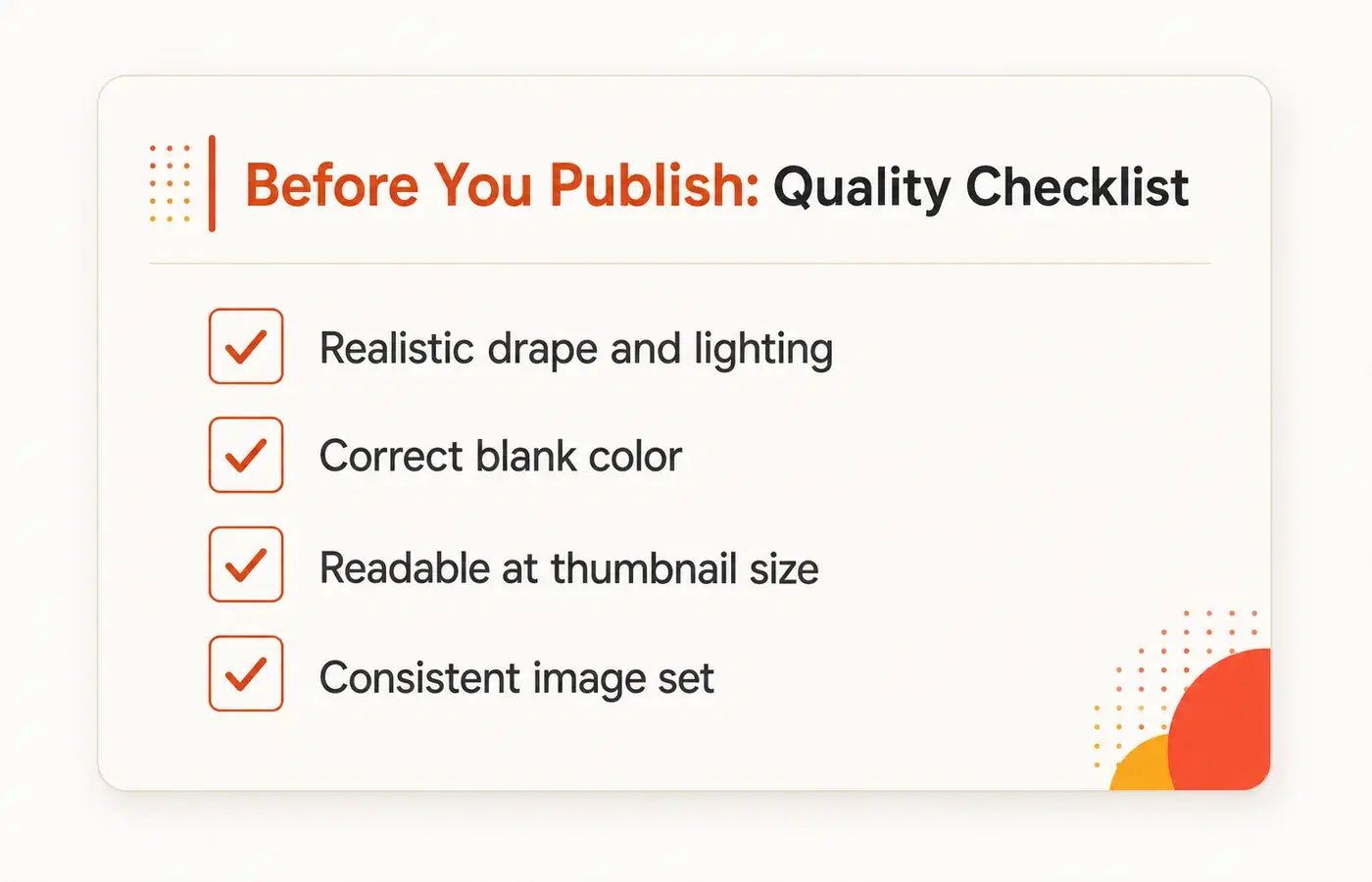
Use this quick quality checklist before any mockup goes live:
- Realistic drape and lighting. The fabric should fold and catch light like cloth, not look like a sticker.
- Correct blank color. The mockup garment matches the actual SKU you'll ship.
- Readable at thumbnail. Shrink it to phone-feed size, can you still tell what it is?
- Consistent set. All your images share a look, so the gallery feels like one brand.
Hit those four and nobody scrolling will know or care which software you didn't use. They'll just see a product worth buying.
From Mockup to Live Listing
The mockup isn't the finish line. The finish line is a live product page with the right images, title, and details, ready to take orders. Every generic guide ends at "download your PNG" and leaves you to figure out the hardest part alone.
This is where an end-to-end workflow earns its keep. Once your image set is built, Vaybel's Channel Merchandiser pushes your mockups straight into a TikTok Shop listing with the correct product data, your fulfillment provider locked in. No re-uploading, no re-sizing, no copy-pasting between five tools.
Then the loop closes. Vaybel's Shop Insights shows you which images and listings actually convert, so your next drop's mockups are informed by real data instead of guesswork. A founder who's just starting can follow the same path from zero, our guide on starting a clothing brand with no experience walks the full journey. The whole point of going AI-native is that "design, mockup, publish, learn" becomes one connected loop instead of four disconnected chores.
Frequently Asked Questions
Can you make clothing mockups without Photoshop?
Yes. Browser-based generators (Placeit, Canva, Smartmockups, Mockey, and the built-in tools in Printful and Printify) and AI on-model tools let you put a design on a garment in minutes with no design software. Upload your art, place it, and export. For a selling brand, an AI tool that also produces on-model shots and channel-ready sizes saves the most time.
What's the best free clothing mockup generator?
It depends on what you need. For quick white-background catalog shots, the free generators inside your print-on-demand platform (Printful, Printify) are convenient. For variety, Canva and Mockey have large free libraries. Watch for watermarks, resolution caps, and personal-use-only licenses on free tiers, since a brand that sells product needs commercial rights and full resolution.
How do I make a free t-shirt mockup with no watermark?
Use a generator with a genuine free tier: Canva and Mockey both offer t-shirt mockups you can export without a watermark, and the print-on-demand built-ins (Printful, Printify) are free if you're fulfilling through them. Upload your design, place it on the tee, and export at 800×800px or larger. Confirm the license allows commercial use before you put the image on a live listing, since "no watermark" and "licensed to sell" are not the same thing.
Are AI clothing mockups realistic enough to sell?
Yes, when set up well. The deciding factor is image quality, not the software, and studies consistently link high-quality product photos to higher conversion. Check that the fabric drapes naturally, the blank color matches your real product, and the image is readable at thumbnail size. A clean AI mockup beats a poor phone photo every time.
How do I make a mockup for TikTok Shop?
Export a 1:1 square image, at least 800×800px, on a pure white background for your main image, as a JPEG or PNG under 5MB, with the product filling about 80% of the frame. You can add up to nine images, and secondary slots can use on-model or lifestyle shots. The main image must be clean and white-background to pass review.
Do I need an on-model mockup or is flat lay fine?
Both, in different slots. Your main listing image usually has to be a clean, white-background product shot, while on-model and lifestyle images belong in the secondary slots, where they do the real selling. On-model shots typically convert better, so don't rely on flat renders alone.
How do I make a mockup if I don't have a design yet?
That's the real bottleneck for most founders, and a mockup tool can't solve it because it only frames existing art. Either design something in a free tool like Canva, hire a designer, or generate print-ready art with AI. Vaybel's AI Design Generator creates the design and hands it to the mockup step in one flow.
Can I make mockups for multiple colors and sizes at once?
Most free generators make you redo each one by hand, which doesn't scale past a few products. For a real catalog (one design across colors, fits, and blanks, times many designs), use a tool with batch and variant generation, like Vaybel's AI Mockup Generator, so a multi-SKU drop doesn't take days.
The Bottom Line
You don't need Photoshop and you don't need a photoshoot. You need a design, a mockup that passes your channel's review and looks like a real brand, and a path to a live listing. That's the whole job, and modern tools collapse it into minutes.
Remember the shape of it: get the design first (the step everyone skips), make the mockup with the right tool for the slot, export to your channel's exact specs, and build a full image set instead of one lonely render. Mix a clean white-background main image with on-model shots that sell, keep the set consistent, and watch the license fine print on anything "free."
The founders who win at this aren't the ones who learned Photoshop. They're the ones who run the whole loop, design to mockup to published listing to data, without friction. Vaybel was built to be that loop for clothing brands, as an official TikTok Shop App Store partner.
Make your first clothing mockup free → No Photoshop, no photoshoot. Upload a design, see it on real blanks, and get a listing-ready image set in minutes.