Before You Start
Make sure you have:
- a Shopify store and an account that can install apps on it
- the correct workspace selected, if you already use Vaybel
- a clear plan for which workspace owns this store
Each workspace holds one Shopify store. To connect a second store, create a new workspace for it.
Need a Shopify store first? Create it, then come back here:
Two Ways To Connect
From the Shopify App Store. Install Vaybel from the App Store. Shopify asks you to approve the access Vaybel needs (products, inventory, locations, files, and product listings), then sends you to Vaybel. Sign in or create your account, and the store is connected to your workspace as part of setup. If you create a new workspace during this flow, Vaybel bills your plan through Shopify. See Billing.
From the Vaybel dashboard. If you already use Vaybel, connect the store from Dashboard -> Settings -> Integrations. Vaybel asks for your store domain, sends you to Shopify to approve the app, and brings you back.
Where To Start
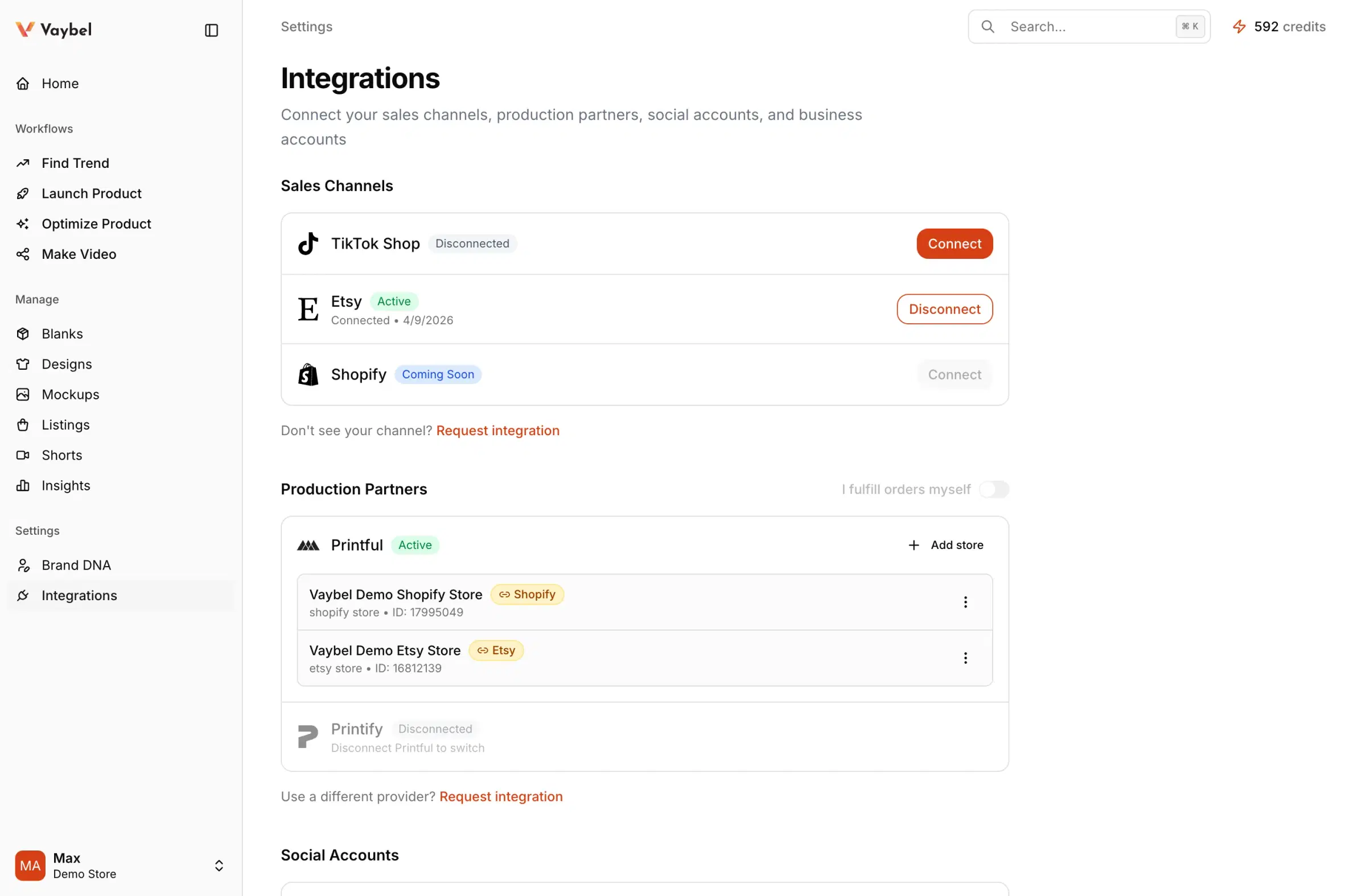
Open Dashboard -> Settings -> Integrations, then use the Shopify row under Sales Channels.
Connection Pattern
- Open Dashboard -> Settings -> Integrations.
- Click
Connecton the Shopify row. - Enter your store domain, for example
your-store.myshopify.com. - Approve the app in Shopify.
- Return to Vaybel and verify the row shows
Activewith your store name.
Verify The Connection
After approval, confirm the store name shown on the Shopify row is the expected store and the connection lives in the intended workspace.
If the store is already connected to another one of your workspaces, Vaybel opens that workspace instead of connecting it twice.
What happens next
After the sales channel is connected, connect Printful or Printify in the same workspace and link the correct provider store to this Shopify store in Settings -> Integrations. Shopify listings can be published with product flats alone; on-model images are optional.
Watch For
- approving the app while signed in to the wrong Shopify store
- connecting the right store from the wrong workspace
- uninstalling Vaybel from your Shopify admin, which disconnects the store in Vaybel
Group a Drop into a Shopify Collection
When you publish a product attached to a drop, Vaybel adds it to a Shopify collection with the drop’s name, reusing an existing match or creating one. Check the collection’s storefront visibility and navigation in Shopify. Adding an already-live product to a drop does not immediately regroup it.
See Plan a Drop and Group Your Listings for the publishing sequence and what does not sync automatically.